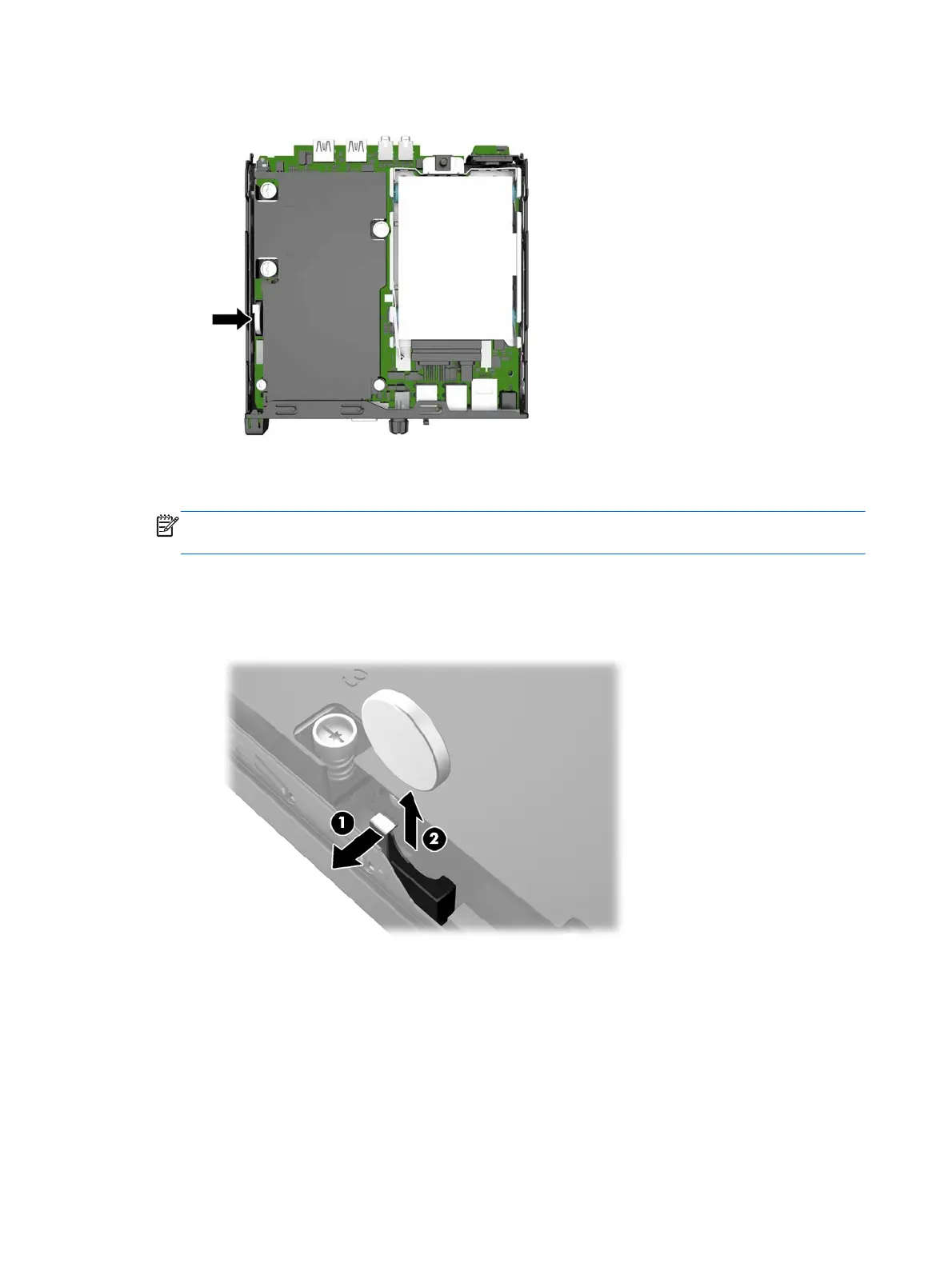
6. Locate the battery and battery holder on the system board.
7. Depending on the type of battery holder on the system board, complete the following instructions
to replace the battery.
NOTE: You may need to use a small tool, such as tweezers or needle-nose pliers, to remove and
replace the battery.
Type 1
a. Pull back on the clip (1) that is holding the battery in place, and lift the battery out of the
holder (2).
18 Chapter 2 Hardware upgrades











 To Next Page