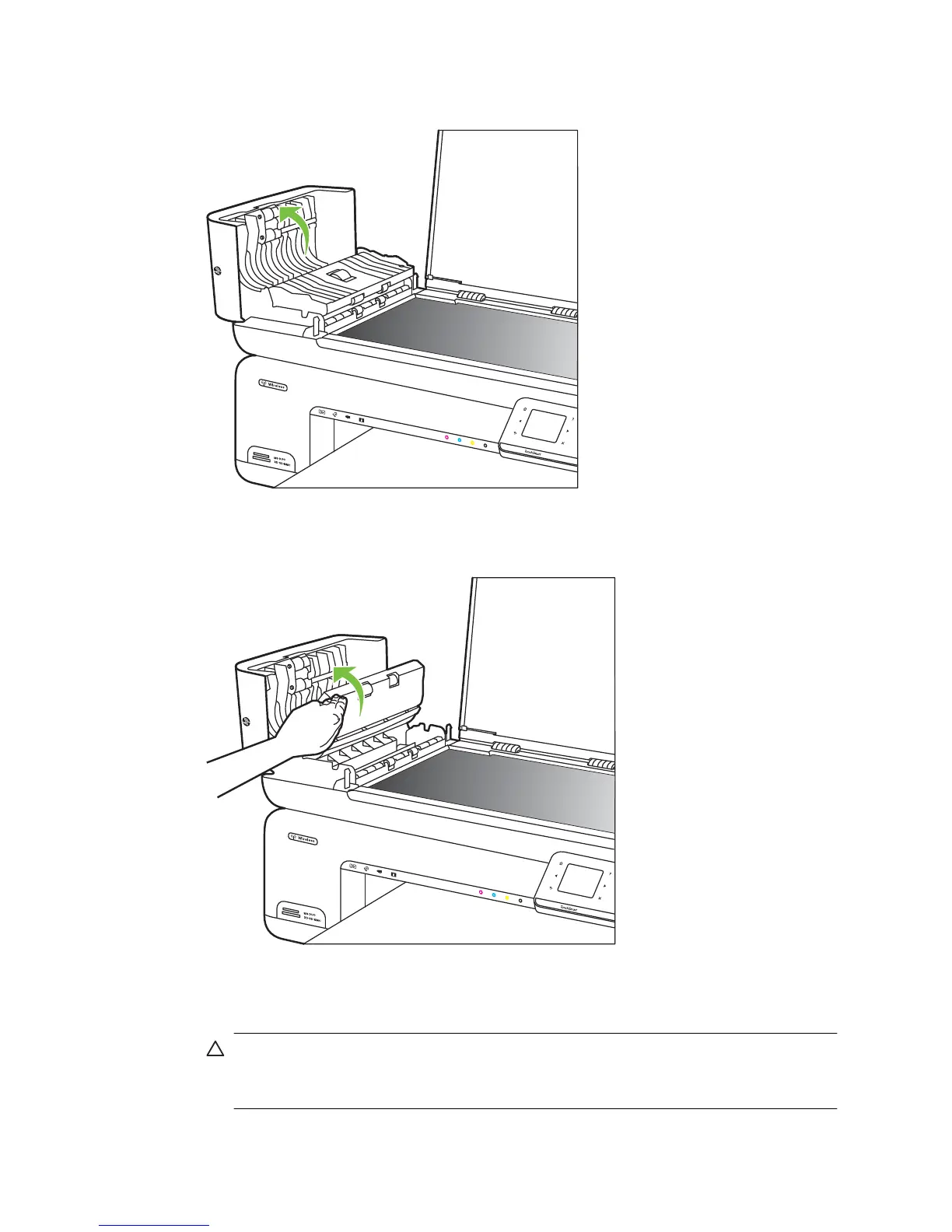
3. Continue lifting the automatic document feeder cover to the vertical position.
4. Lift the automatic document feeder mechanism.
5. Clean the plastic strip with a soft cloth or sponge slightly moistened with a nonabrasive
glass cleaner.
CAUTION: Do not use abrasives, acetone, benzene, or carbon tetrachloride on
the plastic strip, since they can damage it. Do not place or spray liquid directly on
the plastic strip. The liquid might seep inside and damage the printer.
Chapter 1
30 Get started



 To Next Page