5–24 Maintenance and Service Guide
Removal and Replacement Procedures
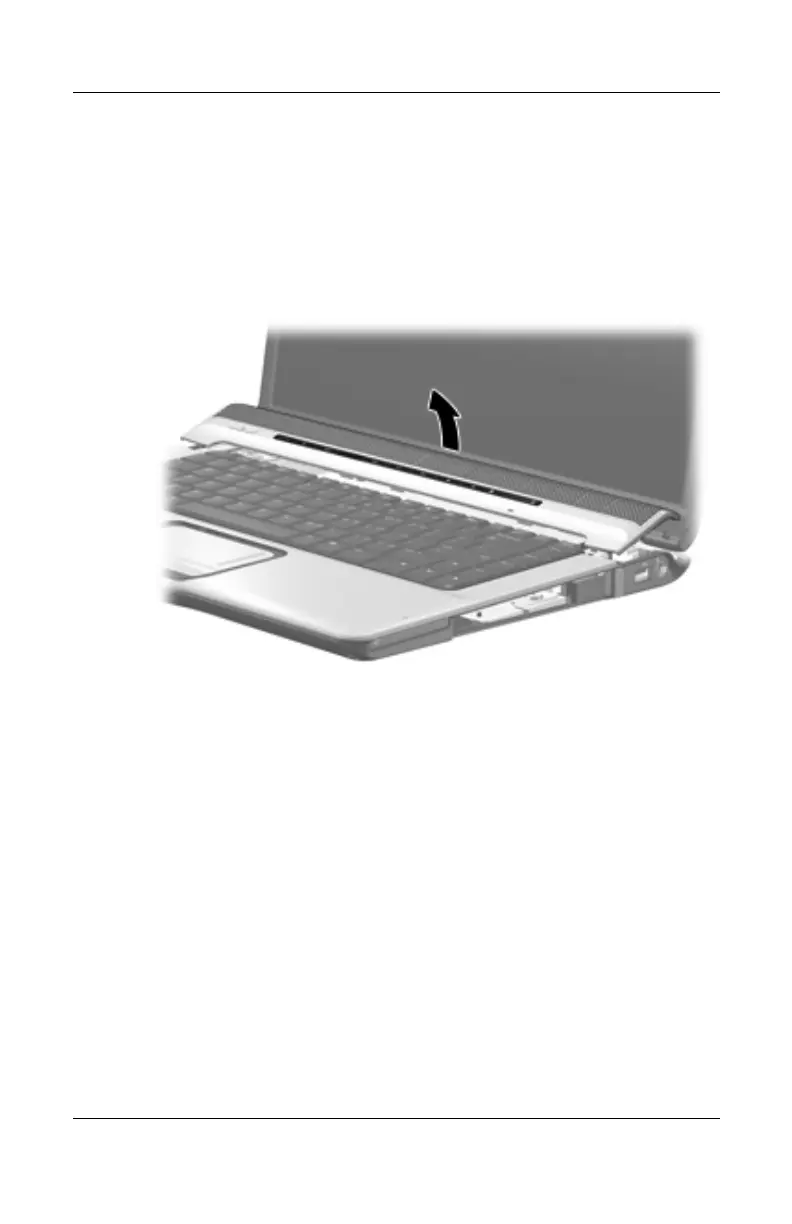
5. Turn the computer display-side up with the front toward you.
6. Open the computer as far as possible.
7. Lift the rear edge of the switch cover and swing it forward
until it rests on the keyboard.
Releasing the Switch Cover
http://mycomp.su - Maintenance and Service Guide,Motherboard Schematics for Laptop/notebook
Ремонт ноутбуков.Запчасти и комплектующие для ноутбука.
Схемы,сервис мануалы,инструкции по разборке ноутбука.



 To Next Page
 Loading...