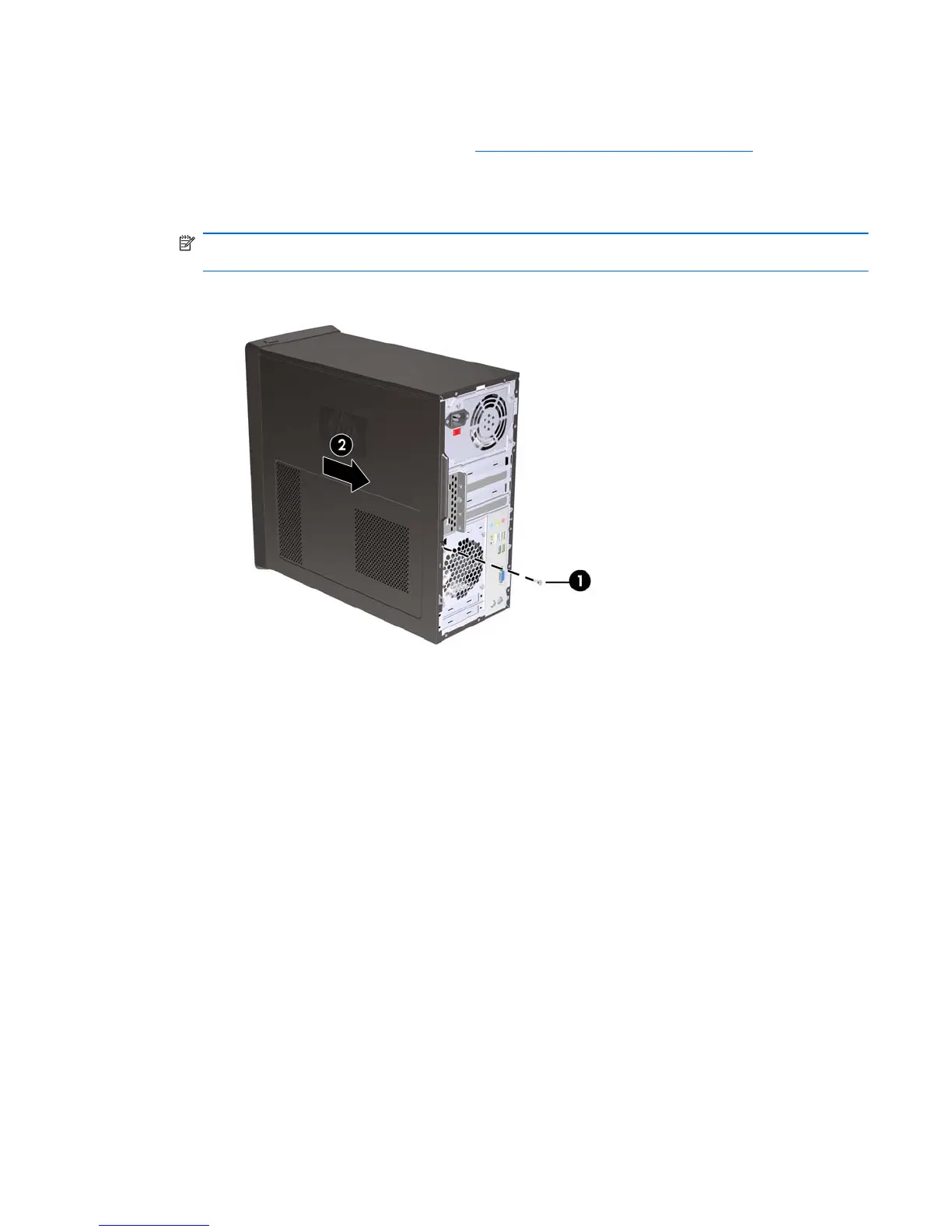
Access Panel
1. Prepare the computer for disassembly (Preparation for Disassembly on page 32).
2. Loosen the screw (1) that secures the access panel to the computer chassis.
3. Slide the access panel back (2) about 1.3 cm (1/2 inch), then lift it off the unit.
NOTE: You may want to lay the computer on its side to install internal parts. Be sure the side
with the access panel is facing up.
Figure 6-1 Removing the Computer Access Panel
To replace the access panel, reverse the removal steps.
Access Panel 33








 To Next Page