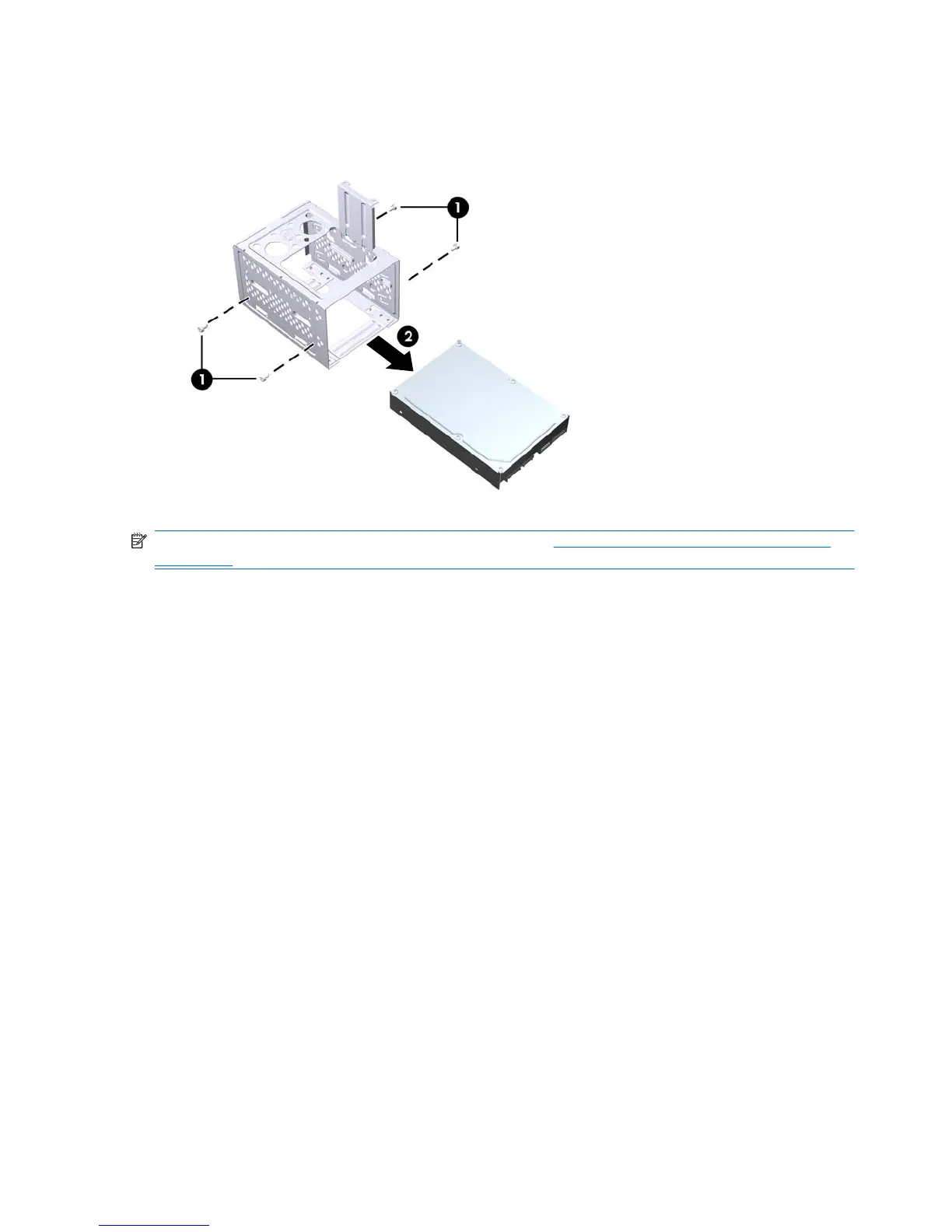
7. Remove the four screws that secure the hard disk drive to the hard drive cage (1), then slide the
hard disk drive out of the hard drive cage (2).
Figure 6-29 Removing the Hard Drive
NOTE: To install an internal 3.5-inch hard drive, refer to Installing an Internal 3.5-inch Hard Drive
on page 61.
60 Chapter 6 Removal and Replacement Procedures Microtower (MT) Chassis



 To Next Page