The provided document is a Maintenance and Service Guide for the HP ProDesk 405 G4 Small Form Factor (SFF) Business PC. It details the computer's features, parts, maintenance procedures, troubleshooting, and specifications.
Function Description
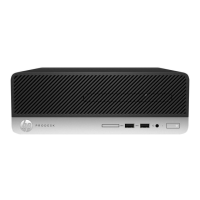
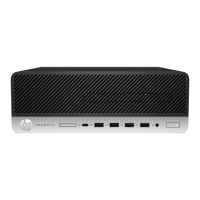
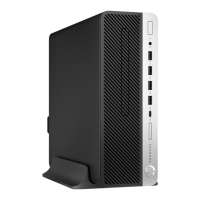
The HP ProDesk 405 G4 SFF Business PC is a small form factor computer designed for business use. It can be operated in both tower and desktop orientations. The guide covers its standard configuration features, front and rear panel components, and various internal parts.
Important Technical Specifications
Dimensions and Weight:
- Width: 3.94 in (100 mm)
- Depth: 13.3 in (338 mm)
- Height: 12.13 in (308 mm)
- Weight: 19.82 lb (9.00 kg)
- Max supported weight (desktop orientation): 77 lb (35 kg)
Temperature Range:
- Operating: 41° to 113°F (5° to 45°C)
- Non-operating: –40° to 151°F (–40° to 66°C)
Relative Humidity (at max inlet temperature):
- Operating: 5 to 90%
- Non-operating: 5 to 90%
Maximum Altitude:
- Operating: 16,404 ft (5000 m)
- Non-operating: 50,000 ft (15,240 m)
Power Supply:
- Type: 80 PLUS Platinum 250W active PFC
- Efficiency: 90/92/89% efficient at 20/50/100% load (115V); 91/93/90% efficient at 20/50/100% load (230V)
- Operating voltage range: 90 to 264 VAC
- Rated voltage range: 100 to 240 VAC
- Rated line frequency: 50 to 60 Hz
- Operating line frequency: 47 to 63 Hz
- Rated input current: 250W ≤ 3A
- DC output: +12V
Processors (for use with Ryzen™ PRO processors):
- AMD Ryzen 5 PRO 2400G
- AMD Ryzen 3 PRO 2200G
Memory Modules (UDIMM, PC4-2666, NECC):
- Supports up to 64 GB in dual-channel mode.
- Specifications: Industry-standard 288-pin, Unbuffered non-ECC PC4-19200 DDR4-2400 MHz-compliant, 1.2 volt DDR4-SDRAM, CAS latency 17 DDR4 2400 MHz (17-17-17 timing), Mandatory JEDEC SPD information.
- Supports 512 Mb, 1 Gb, 2 Gb, and 4 Gb non-ECC memory technologies.
- Supports single-sided and double-sided memory modules.
- Supports memory modules constructed with x8 and x16 DDR devices; x4 SDRAM not supported.
- Four memory sockets: DIMM1, DIMM2, DIMM3, DIMM4 (DIMM1 and DIMM3 for Channel B, DIMM2 and DIMM4 for Channel A).
Storage:
- Hard Drives (3.5 inch): 2 TB, 1 TB, 500 GB (7200 rpm, some self-encrypting (SED), Opal 2, 7 mm).
- Solid-state drives: M.2 2280 NVMe TLC SS (1 TB, 512 GB, 256 GB, 128 GB), M.2 2280 PCIe NVMe (512 GB, 256 GB), M.2 2280 PCIe 3x4 TLC SED (512 GB, 256 GB), SATA3 TLC (512 GB, 256 GB, some SED Opal2).
- Optical drives (9.5 mm): BD Blu-ray writer drive, DVD±RW drive, DVD-ROM drive.
- SATA Hard Drive Characteristics: 7/7 pins/conductors in data cable, 15 pins in power cable, max data cable length 39.37 in (100 cm), data interface voltage differential 400 mV – 700 mV, drive voltages 3.3 V, 5 V, 12 V, data transfer rate 6.0 GB/s.
Expansion Slots:
- One PCI Express x1 expansion socket.
- One PCI Express x16 expansion socket (supports x1, x4, x8, or x16 cards).
- PCI Express sockets support low profile cards only.
WLAN Modules:
- Intel® 3168 802.11 AC 1x1 with Bluetooth® 4.0 (Brazil)
- Intel 7265 802.11AC 2x2 with Bluetooth M.2 Combo Card non-vPro (Brazil)
- Intel 9260 802.11 AC 2x2 +Bluetooth 5 PCIe non-vPro
- Realtek 802.11 AC 1x1 with Bluetooth 4.2 LE M.2 PCIe
- Realtek 802.11 AC 2x2 with Bluetooth 4.2 LE M.2 PCIe
Graphics Card:
- AMD™ Radeon R7 430 2 GB FH PCIe x16 G5 graphics card (select models only).
Ports:
- Front Panel: Slim optical drive (optional), SD card reader (optional), USB Type-C charging port, 2x USB 3.1 Gen 1 ports (5 Gbit/s), USB 2.0 port, USB 2.0 port (fast charging), Audio-out (headphone)/Audio-in (microphone) combo jack, Hard drive activity light, Power button.
- Rear Panel: Audio-in jack, Serial port (optional), RJ-45 (network) jack, Audio-out jack for powered audio devices, 2x DisplayPort™ monitor connectors, Power cord connector, 2x USB 2.0 ports with wake from S4, 2x USB 3.1 Gen 1 ports (5 Gbit/s), 2x USB 2.0 ports.
- Optional Ports: HDMI, DisplayPort, VGA, USB Type-C, Parallel port, 2nd serial port.
Usage Features
Computer Setup (F10) Utility:
- Allows changing/restoring default settings, viewing system configuration (processor, graphics, memory, audio, storage, communications, input devices), modifying boot order, entering Asset Tag/property ID, enabling power-on password, establishing administrator password, setting password policies, securing I/O functionality, enabling/disabling boot sources, configuring Secure Boot, power management, virtualization support, language/keyboard type, replicating system setup, enabling/disabling DriveLock, and securely erasing hard drives.
- Secure Boot: Ensures only authenticated code starts on the platform, preventing firmware attacks.
- DriveLock: Assigns master/user passwords for hard drives, making them inaccessible without the correct password.
- Scheduled Power-On: Wakes the system at a specified date and time.
- Wake On LAN: Configures where the computer boots (network or hard drive).
- Dust Filter Reminder: Sets reminders for dust filter replacement.
- Video Memory Size: Manages graphics memory allocation.
- Internal Speakers: Can be disabled.
- Increase Idle Fan Speed: Adjusts minimum fan speed.
- USB Type-C Connector System Software Interface (UCSI): Allows OS to monitor and report USB Type-C events.
- Port Options: Allows disabling specific ports (SATA, Front USB, Rear USB, USB Legacy Port Charging, Front USB Type-C Downstream Charging).
- Restrict USB Devices: Specifies categories of USB devices to enable (all, keyboard/mouse only, all but storage/hubs).
- Option ROM Launch Policy: Controls loading of Legacy Option ROMs or UEFI drivers.
- Power Management Options: Runtime Power Management, Extended Idle Power States, S5 Maximum Power Savings, SATA Power Management, PCI Express Power Management.
- Remote Management Options: Active Management (AMT), USB Key Provisioning Support, USB Redirection Support, Unconfigure AMT on next boot, SOL Terminal Emulation Mode, Show Unconfigure ME Confirmation Prompt, Verbose Boot Messages, Watchdog Timer, CIRA Timeout.
Recovery Features:
- Windows Tools: Back up personal information, create restore points, restore from backup, refresh, or reset the computer.
- HP Recovery Manager: Creates recovery media (USB flash drive or optical discs) to reinstall the original operating system, reinstalls drivers/applications, performs system recovery to original content, or factory reset.
- HP Cloud Recovery Download Tool: Creates HP Recovery media on a bootable USB flash drive.
- HP Recovery Partition: Allows system recovery without recovery discs if the hard drive is functional.
- Changing Boot Order: Allows booting from optical drive or USB flash drive for recovery.
- Removing Recovery Partition: Frees up hard drive space after creating recovery media.
Maintenance Features
Electrostatic Discharge (ESD) Prevention:
- Use static-safe containers for transport.
- Protect parts with conductive packaging.
- Place items on grounded surfaces.
- Properly ground yourself with wrist straps or heel straps.
- Ground the work area with static-dissipative material, foot straps, or air ionizers.
- Handle components by case or PCB laminate.
- Turn off power and input signals before connecting/removing equipment.
- Use static-safe fixtures and conductive field service tools.
Routine Cleaning:
- General Safety: Never use solvents or flammable solutions, apply liquids to a cloth (not directly to components), unplug computer when cleaning with liquids, disconnect keyboard, wear safety glasses for keyboard cleaning.
- Computer Case: Use plain water with a lint-free cloth for light stains; mild dishwashing liquid diluted with water for stronger stains; isopropyl alcohol for stubborn stains. Wipe with a lint-free cloth after cleaning.
- Keyboard: Clean tops of keys/body like the computer case. For debris under keys, vacuum, shake, or use canned air (caution: avoid dislodging lubricants). Use a key puller if removing keys.
- Monitor: Wipe screen with water-moistened cloth or towelette designed for monitors. Do not spray directly. Clean body like the computer case.
- Mouse: Turn off power. Clean mouse ball by removing retaining plate, pulling out debris, and wiping the ball. Clean mouse body like the computer case.
- Air Vents: Periodically clean to prevent dust/lint buildup.
Service Considerations:
- Power Supply Fan: Variable-speed fan based on temperature. Always on in "On" mode, off in "Standby," "Suspend," or "Off" modes.
- Tools: Torx T-15 screwdriver, flat-blade screwdriver (optional), Phillips #1 screwdriver.
- Screws: Not interchangeable; keep with removed parts. Metric screws (black finish) for general components, U.S. screws (silver finish) for hard drives.
- Cables and Connectors: Handle flat, flexible cables with care. Avoid bending/twisting, sharp creases, and jamming. Route properly to prevent damage.
- Hard Drives: Handle as delicate, precision components. Place in protective packaging for mailing. Avoid dropping, liquids, temperature extremes, magnetic fields. Disconnect power before inserting/removing. Discharge static electricity. Do not use excessive force.
- Lithium Coin Cell Battery: Provides power to real-time clock (approx. 3-year lifetime). Risk of fire/chemical burn if handled improperly. Do not disassemble, crush, puncture, short, dispose in water/fire, expose to >60ºC (140ºF), or recharge. Back up CMOS settings before replacement.
- SATA Hard Drives: Use HP approved SATA 6.0 Gb/s cables. Avoid overflexing or bending tighter than 30 mm (1.18 in) radius.
- SMART ATA Drives: Built-in drive failure prediction, tracks fault parameters, generates fault alerts.
- Cable Management: Keep cables away from heat sources, expansion cards, memory modules, and sliding/moveable parts. Do not rely on components to push cables.
Disassembly Preparation:
- Remove/disengage security devices.
- Remove all removable media.
- Turn off computer and external devices.
- Disconnect power cord and external devices (voltage always present on system board when plugged in).
- Remove computer from stand if applicable.
BIOS Settings Recovery:
- Back up BIOS settings to USB flash media using Computer Setup (F10) Utility.
- Restore settings from USB flash media.
Troubleshooting:
- Run HP diagnostic tool.
- Run hard drive self-test in Computer Setup.
- Check Power LED for diagnostic codes.
- Check monitor connection/functionality.
- Check network connection.
- Remove recently added hardware/software.
- Boot to Safe Mode.
- Refer to online technical support and HP Support Assistant.
POST Error Messages and Diagnostic LEDs/Audible Codes:
- Provides a comprehensive list of numeric codes and text messages, probable causes, and recommended actions for errors during Power-On Self-Test (POST) or computer restart.
- LED blink patterns (red for major error, white for minor error) and beep sequences identify error categories (BIOS, Hardware, Thermal, System board).
Password Security and CMOS Resetting:
- Resetting Password Jumper: Clears administrator and power-on passwords. Requires removing jumper from pins 1 and 2, booting, then replacing jumper.
- Clearing and Resetting BIOS: Resets BIOS settings to default (does not clear passwords). Requires pressing and holding the CMOS button for five seconds with power disconnected.

 Need help?






 To Next Page
 General