33
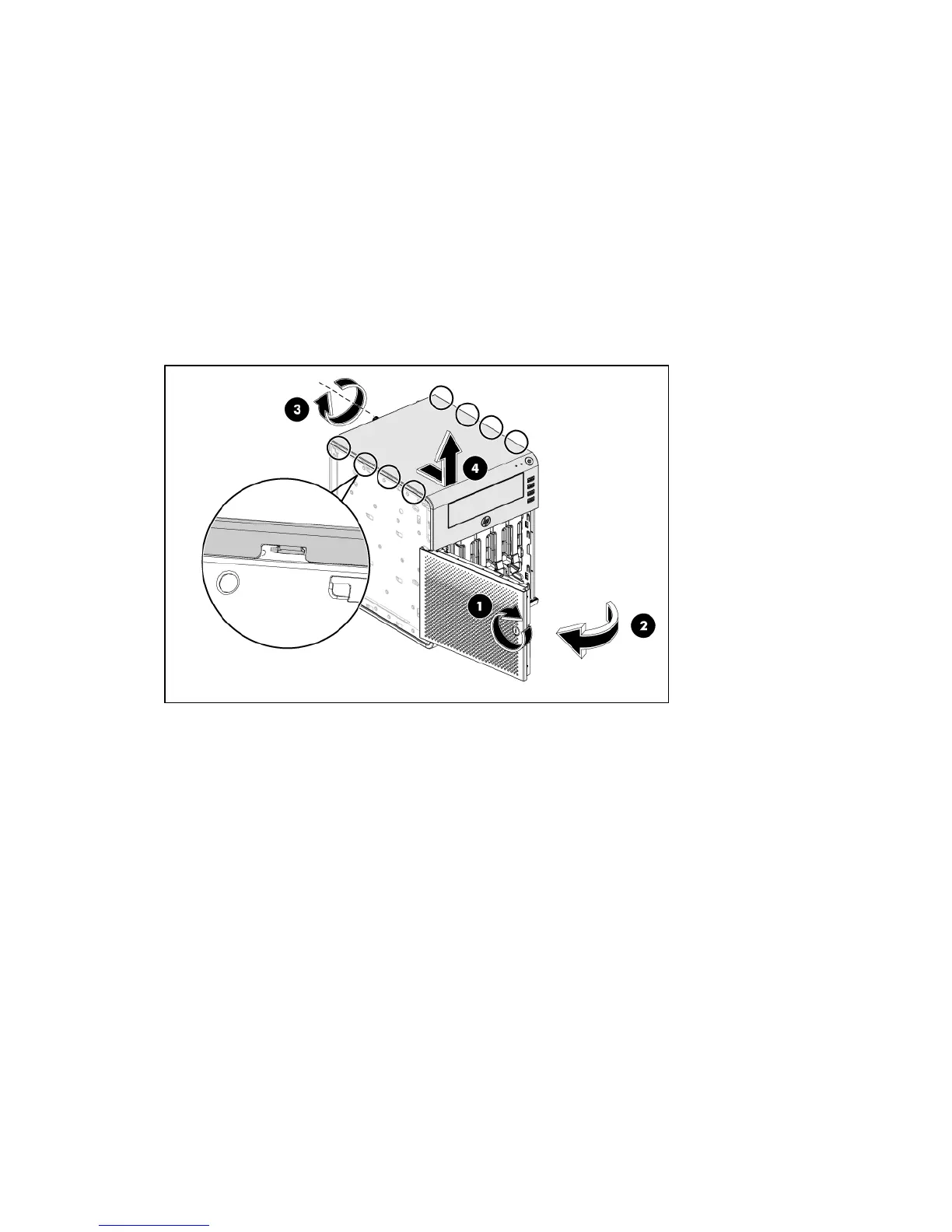
Top panel
The ODD is shielded by the top cover. This cover must be removed when configuring the ODD and
connecting the HDD cables with the PSU cables.
To remove the top panel:
1. Use the HP ProLiant MicroServer’s key to unlock the panel door (1).
2. Open the panel door of the server. If necessary; remove any components or cables that prevent
access to the slot (2).
3. Loosen the back screw which locks the panel on the chassis (3).
4. Slide the top panel ahead, then lift to remove it from the chassis (4).
5. Place the top cover in a safe place for reinstallation later.













 To Next Page