37
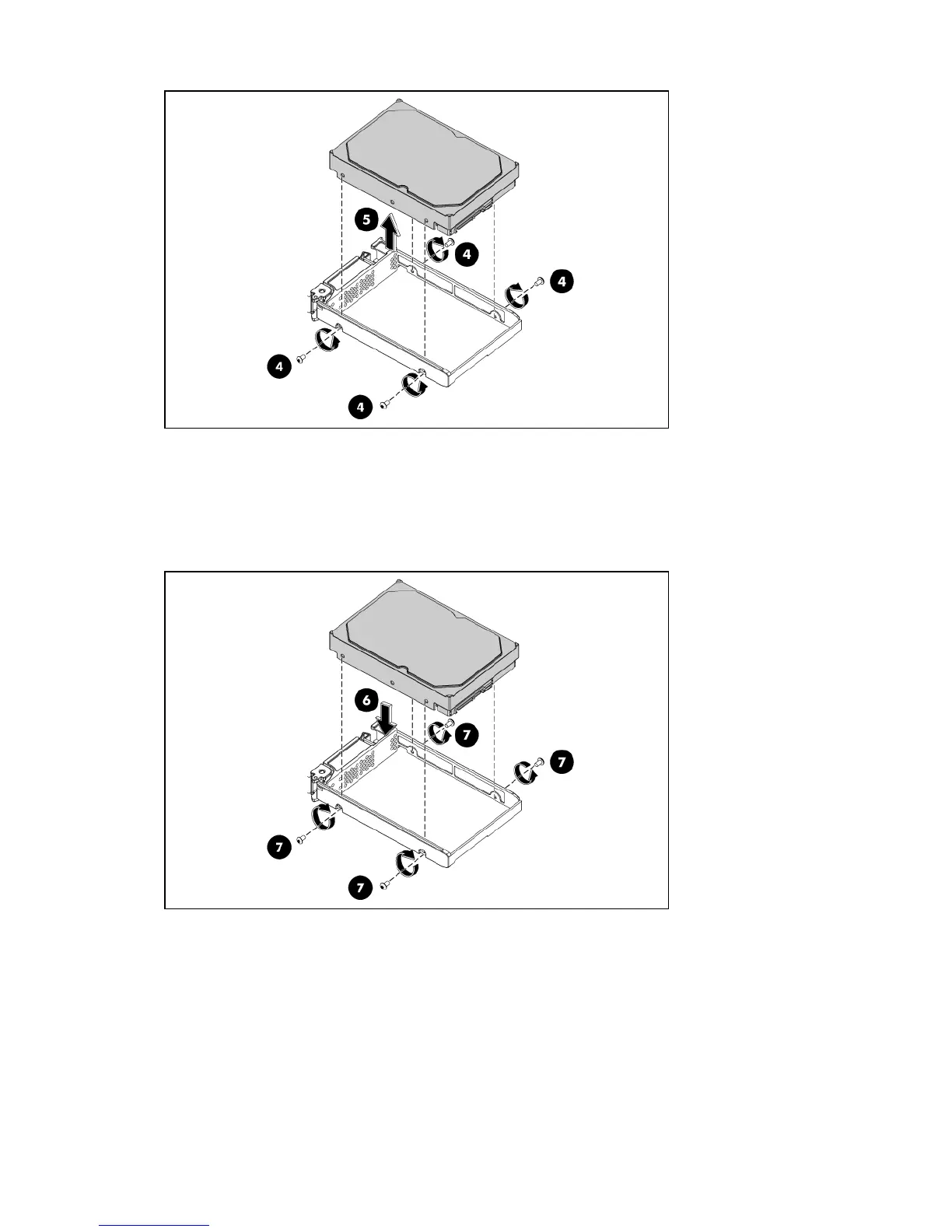
• Place the old hard drive on a static-dissipating work surface or inside an anti-static bag.
• Proceed to step 3 for instructions on how to install the new hard drive module.
3. Install the new hard drive module in its carrier.
• Align the hard drive module on the carrier (6).
• Secure the hard drive assembly with four mounting screws (7).
4. Install the new hard drive assembly in the chassis.
• Insert the new hard drive assembly in the HDD bay (8).
• Lock the HDD carrier handle (9).













 To Next Page