39
Optical disc drive
The server has an Optical Disc Drive option-kit. You can choose to install an optional ODD. The
following SATA ODD models are supported:
• DVD drive
• DVD-RW drive
Instruction to install the Optical Disc Drive
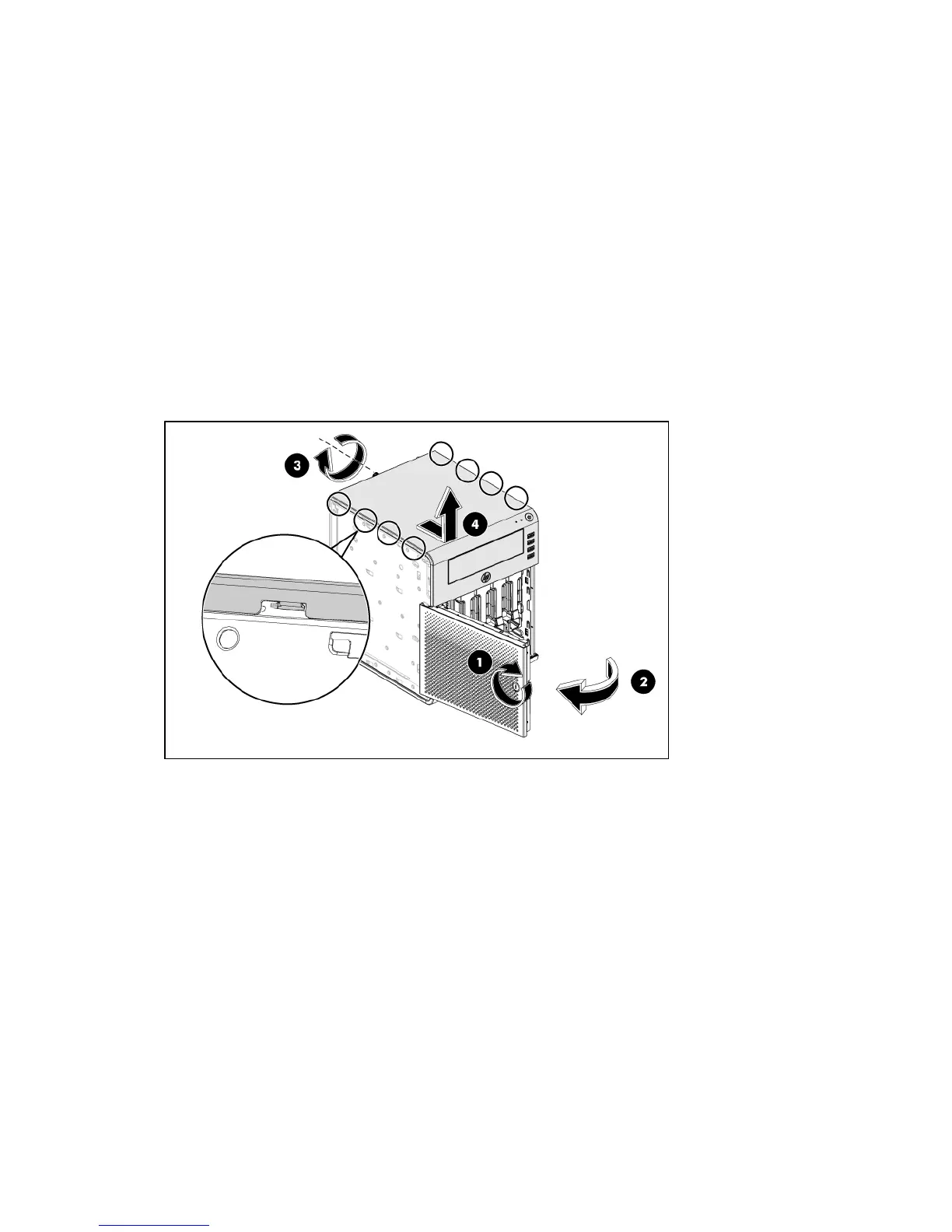
1. Using the HP ProLiant MicroServer’s key to unlock the panel door.
2. Open the panel door of the server. If necessary; remove any components or cables that prevent
access to the slot.
3. Loosen the back screw which locks the panel on the chassis.
4. Slide the top panel ahead, then lift to remove it from the chassis.
5. Insert the ODD module into the chassis.
5a. Use the 4 screws to secure the ODD.
5b. Slide the ODD module into the chassis.
5c. Push the ODD until it clicks into right place.













 To Next Page