42
System board configuration
Refer to the following sections for instructions about how to remove or replace the processor, the
memory modules, the expansion cards, and the system battery. Procedures for installing MicroServer
remote access card option kits are also provided.
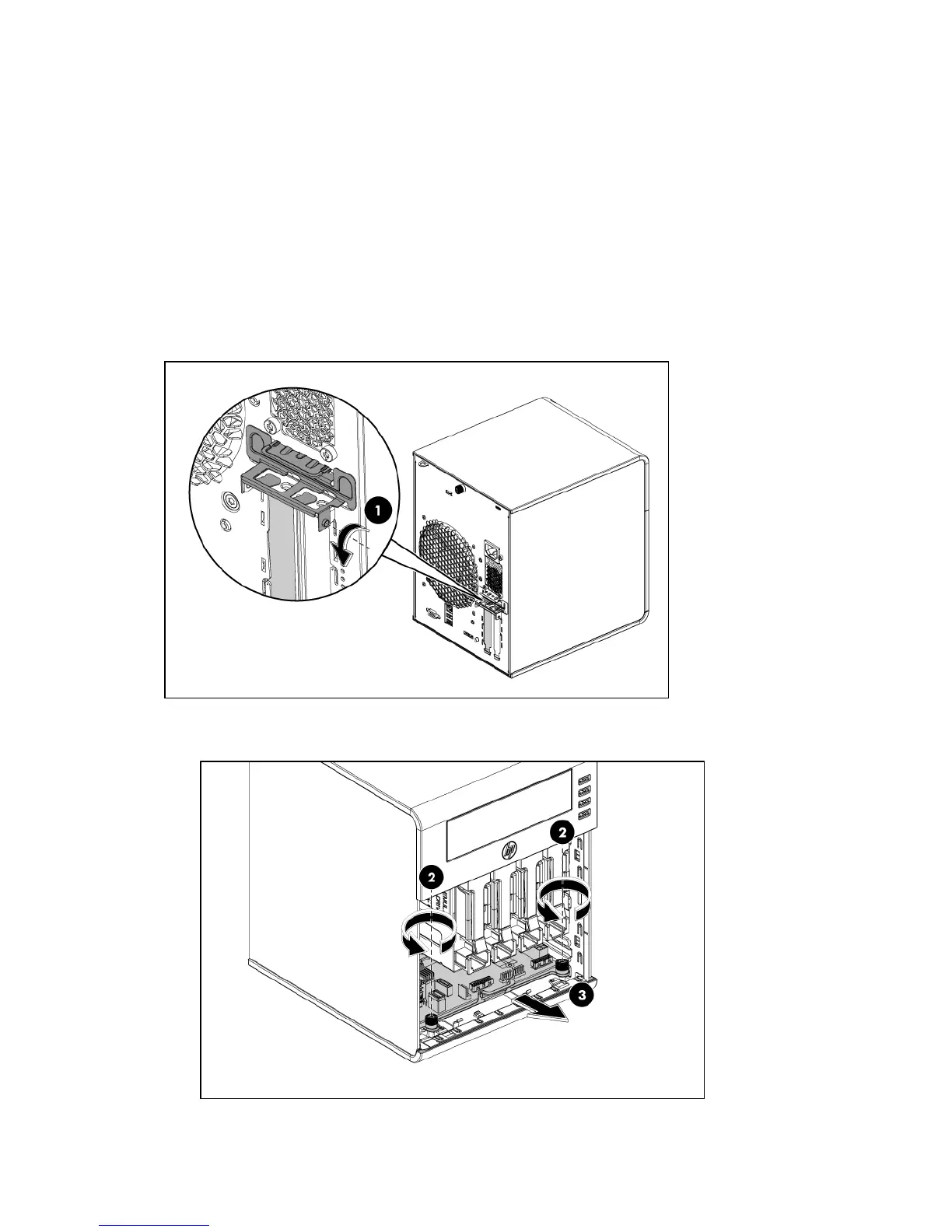
Remove the system board
1. Open the door of the server (If PCI card is installed then go to Step 2. if not go to Step 4).
2. Rotate the PCI holder to release the PCI bracket (1).
3. Check the bracket to ensure there are no screws secured before removing the tray.
4. Unfasten the screws to release the system tray (2).
5. Pull out the system tray (3).
6. When the system tray reaches the place that the arrow shows (once the cables catch),
disconnect all cables on the system board.













 To Next Page