43
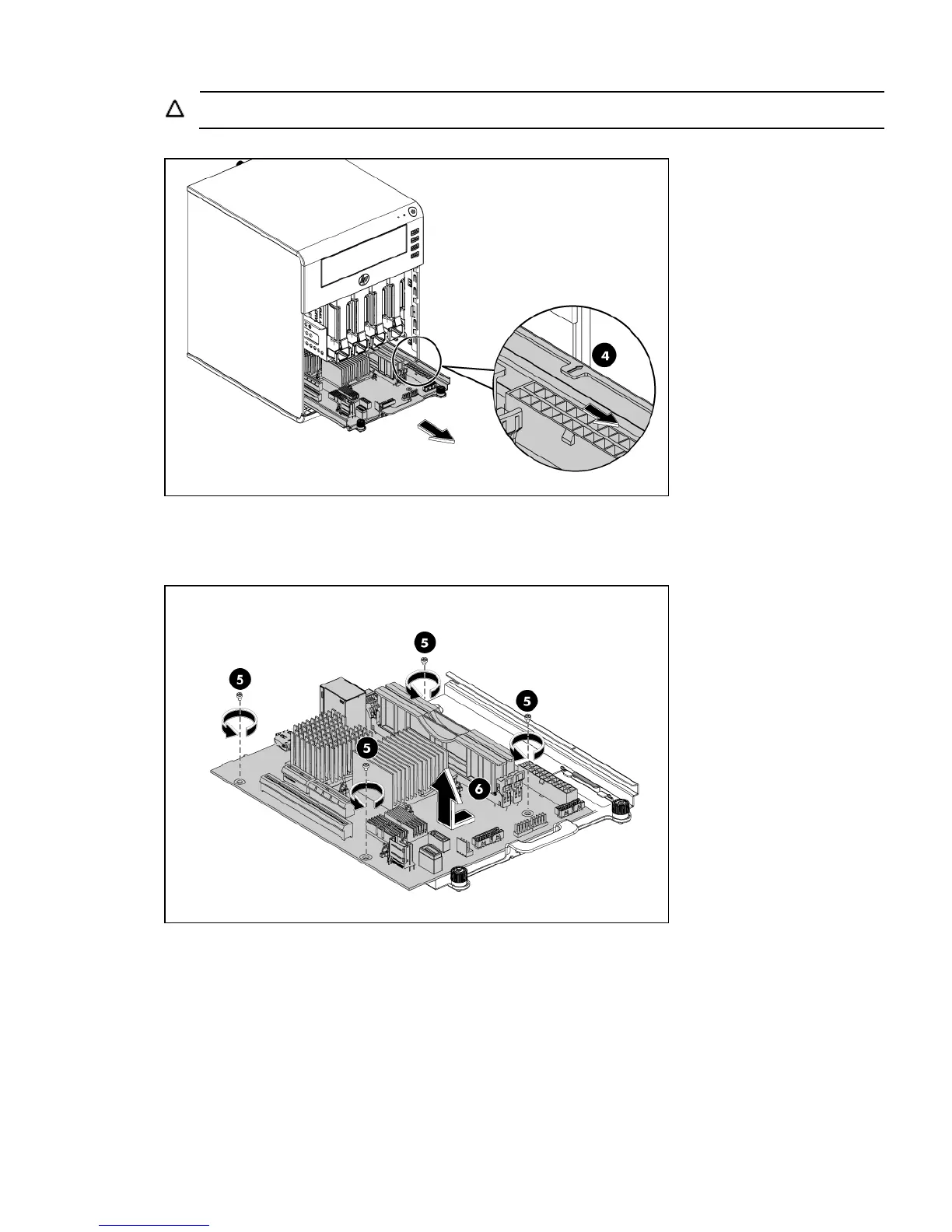
CAUTION: Avoid pinching the cables when sliding the system board tray into the chassis.
7. Remove the board from the tray:
• Loosen the four screws that secure the system board to the tray (5).
• Slide the system board and lift it to release the board away from the tray (6).
Install the system board
1. Slide the system board backward on the tray (1).
2. Fasten the four screws to secure the board on the tray (2).













 To Next Page