44
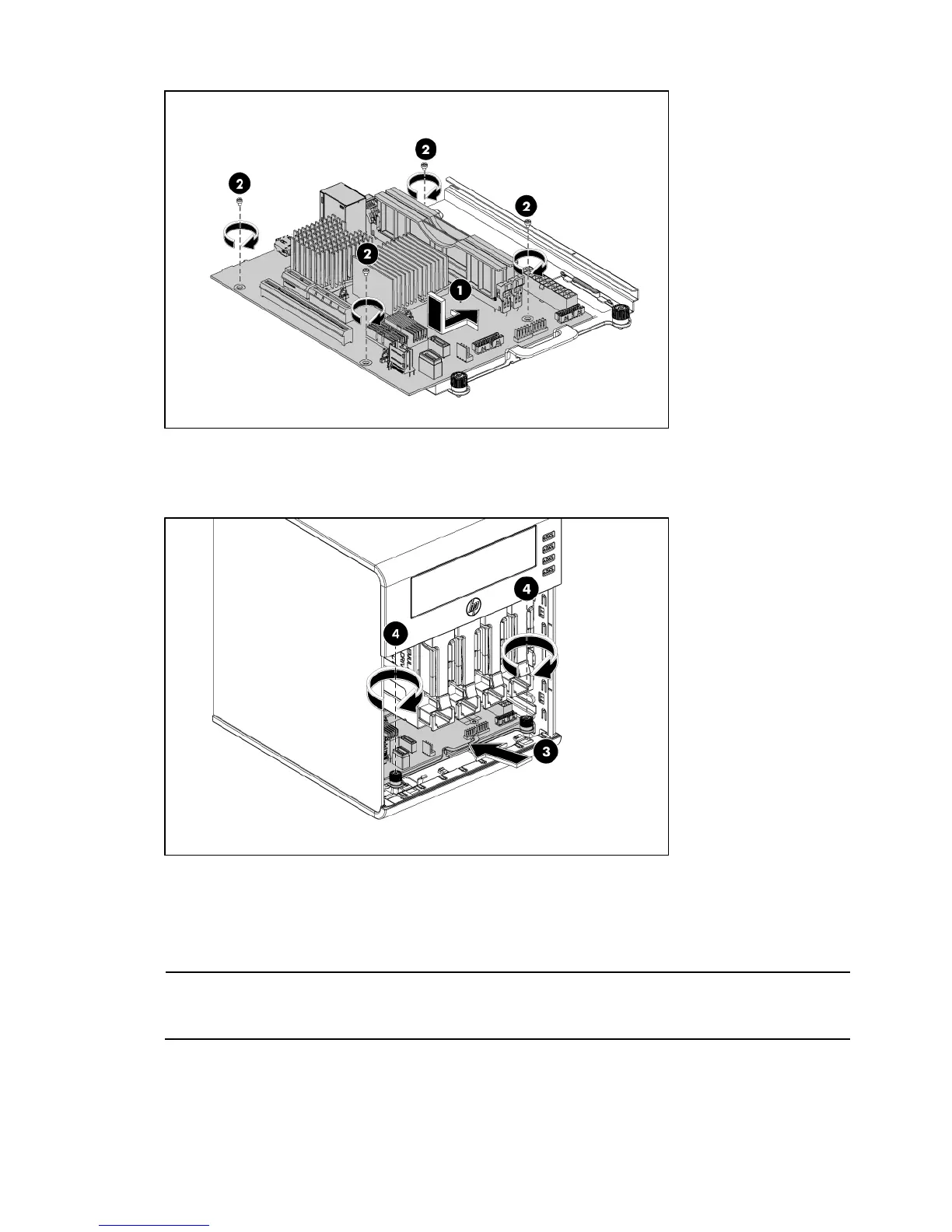
3. Install the system tray into the chassis.
• Slide MB tray with MB on the system tray (3).
• Fasten the two screws to secure the system tray to the chassis (4).
• Rotate and snap in the PCI holder on the back of the chassis.
4. Make sure that all components are installed according to the described step-by-step instructions
5. Verify that you have not left loose tools or other loose parts inside the server.
6. Reinstall peripherals and system cables that you have previously removed.
NOTE: Always carefully release the cables from the factory install cable clip before disconnecting all
cables on the system board and re-insert cables into the factory install cable clip after reinstalling all
cables.













 To Next Page