54
To replace the system battery:
1. Perform the pre-installation procedure.
2. If necessary, remove any accessory boards or cables that prevent access to the battery socket.
3. Locate the system battery.
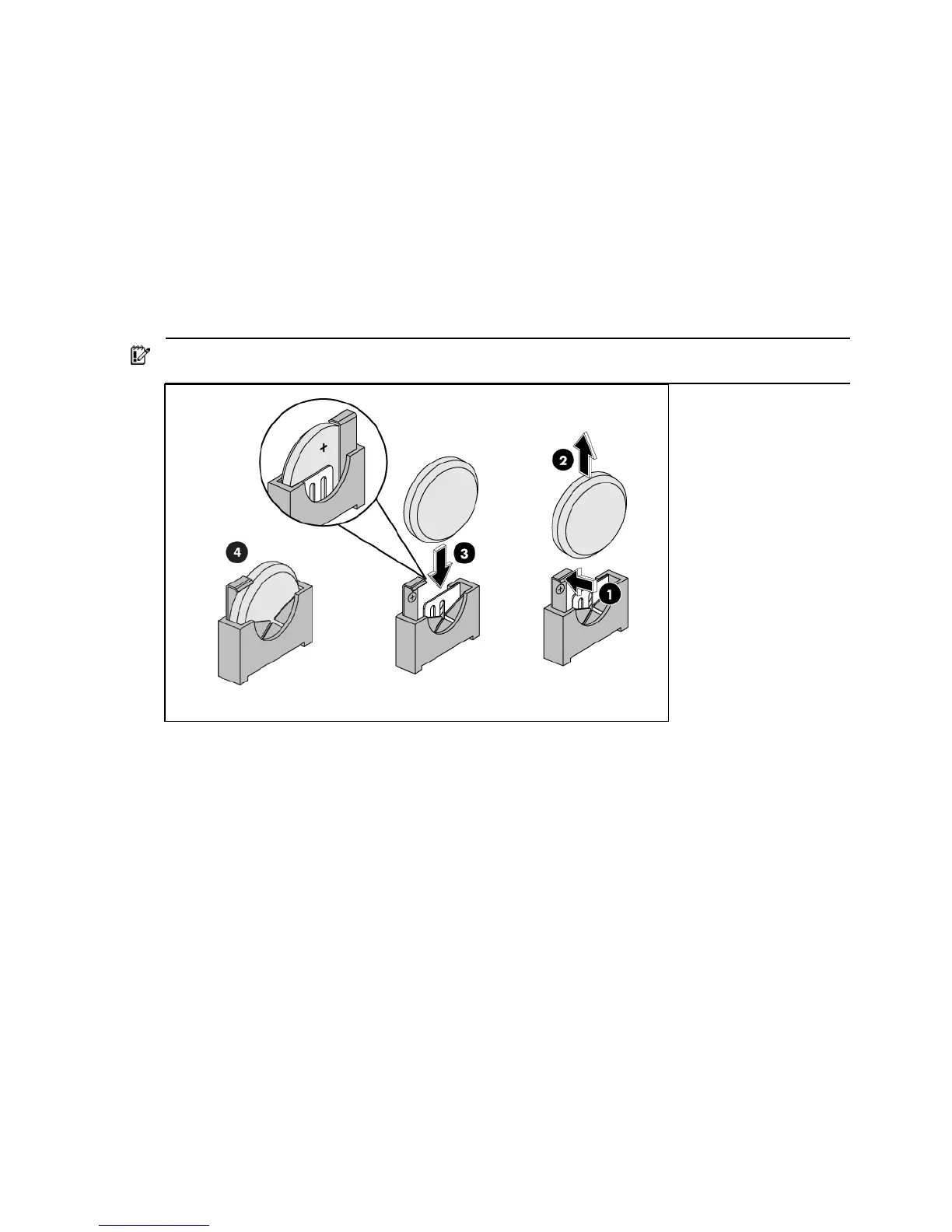
4. Replace the system battery.
• Squeeze the metal clamp that extends above one edge of the battery until the battery pops
up (1).
• Lift up the old battery to remove it (2).
• Slide one edge of the replacement battery under the holder’s lip—positive side facing the
clamp—and then push it down until the clamp snaps over the battery (3).
IMPORTANT: If the battery socket you got is not as described as the one in the below figure, be sure
the battery’s positive side facing the outside of the socket.
5. Perform the post-installation procedure.
System fan
The server has one system fan located on the chassis back panel wall.













 To Next Page