55
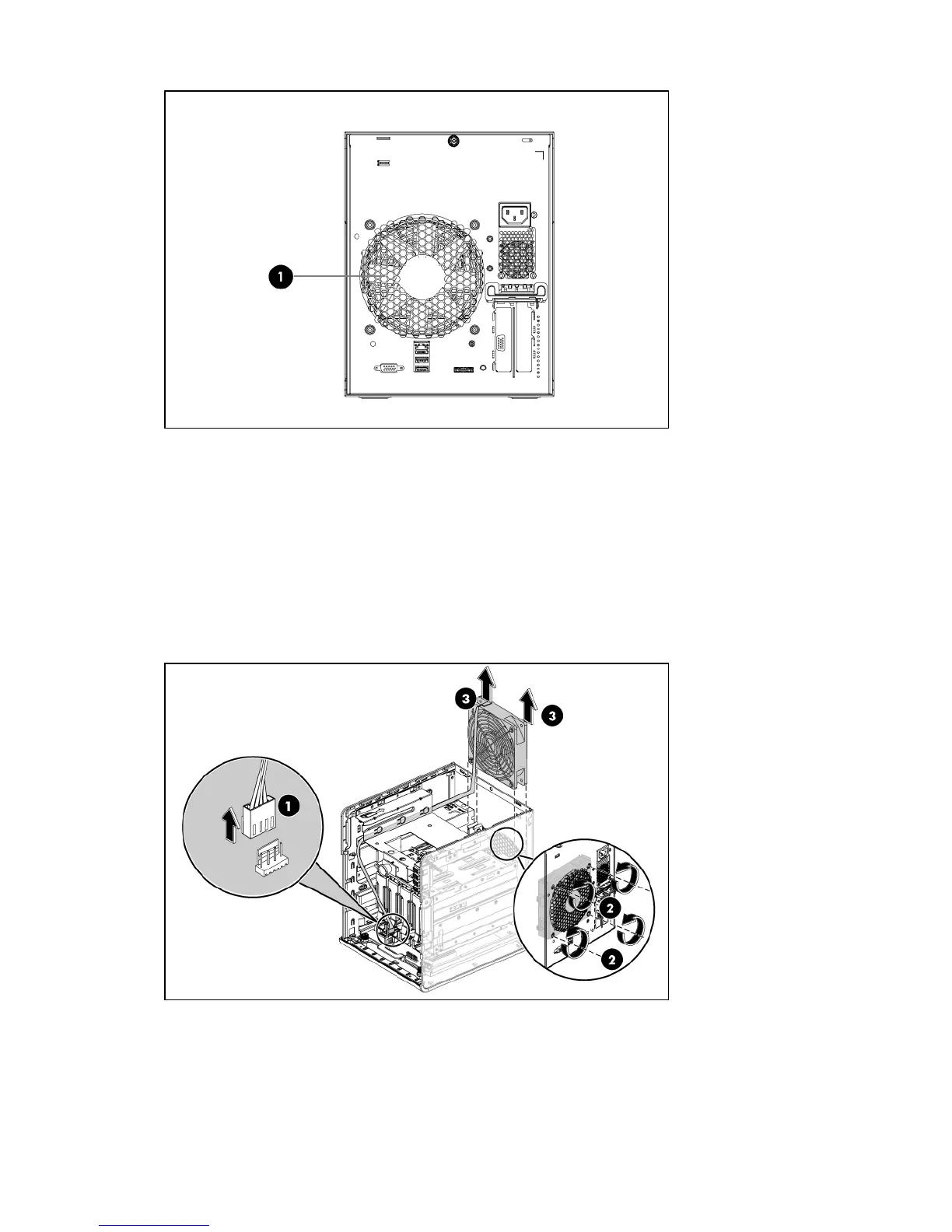
A new system fan can be installed to allow the server to operate properly in case the default system
fan becomes defective.
To replace a system fan:
1. Perform the pre-installation procedure.
2. Remove the defective system fan:
• Disconnect the fan cable from its system board connector (1).
• Unfasten the 4 crews on the rear panel (2)
• Grasp the fan by the two handles, and lift it up from the chassis (3).
3. Remove the system fan from its protective packaging.
4. Install the new system fan.
• Route the fan cable through the vacated fan bracket.
• Insert the fan in the fan bracket (1).
• Fasten the 4 screws (2)













 To Next Page