load envelopes
19
hp psc 900 series
load envelopes
Your HP PSC provides two methods for working with envelopes. Do not use
shiny or embossed envelopes, or envelopes that have clasps or windows.
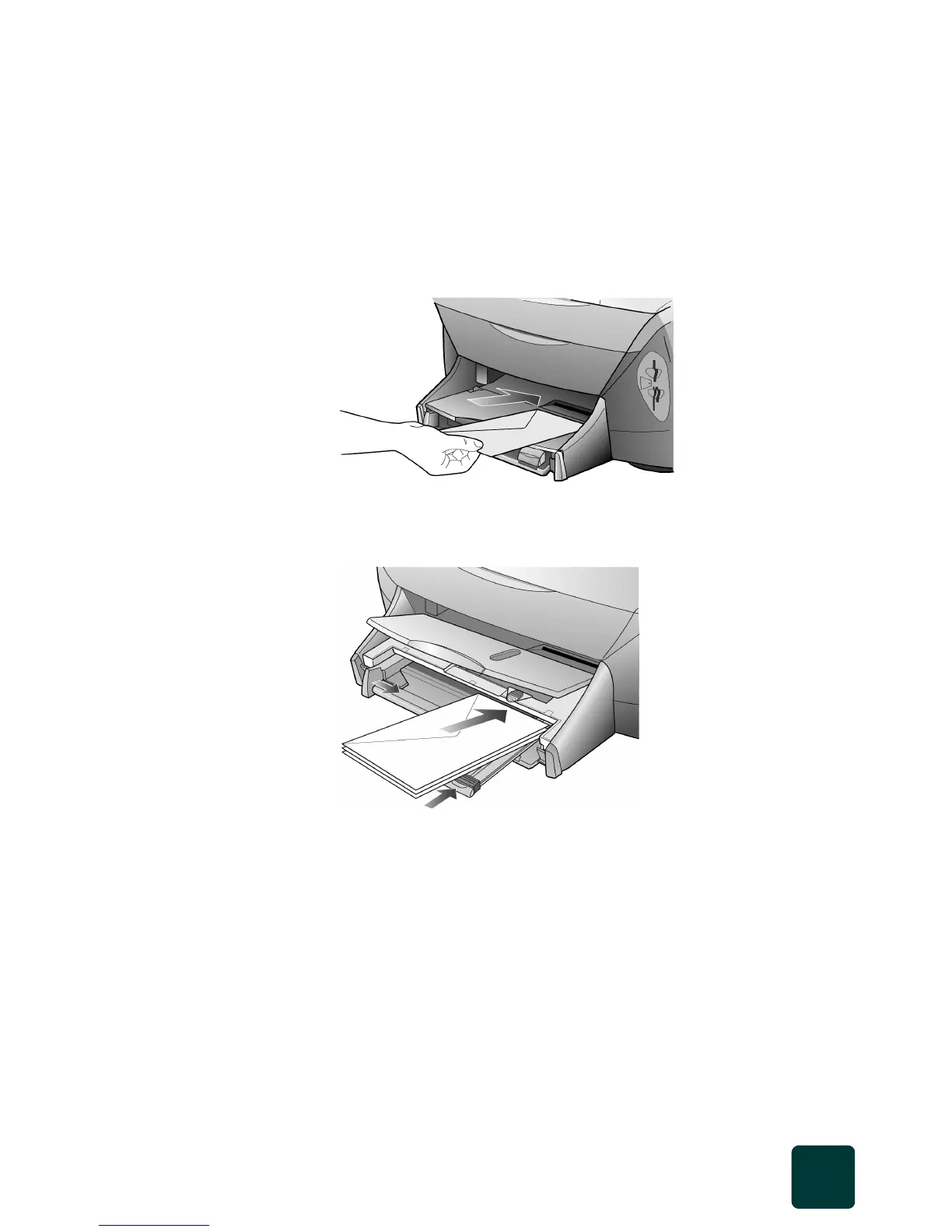
• If you are printing one envelope, slide the envelope into the envelope
slot, which is located on the right side toward the back of the output
tray. Insert the envelope with the flap up and on the left, as shown in
the illustration. Slide the envelope on the top until it stops.
• If you are printing multiple envelopes, remove all paper from the input
tray, and then slide a stack of envelopes into the tray, with the
envelope flaps up and to the left (print-side down), until they stop.
Adjust the left paper guide against the envelopes (be careful not to
bend the envelopes). Make sure the envelopes fit within the tray (do
not overload it).
Consult the help files in your word processing software for details on
how to format text for printing on envelopes.



 To Next Page