QuickSpecs
hp AlphaServer SC20
DA-10976 North America — Version 1 — May 24, 2002 15
Options
Step 5 – Mandatory − Select Storage Building Blocks (SBBs) and Options (continued)
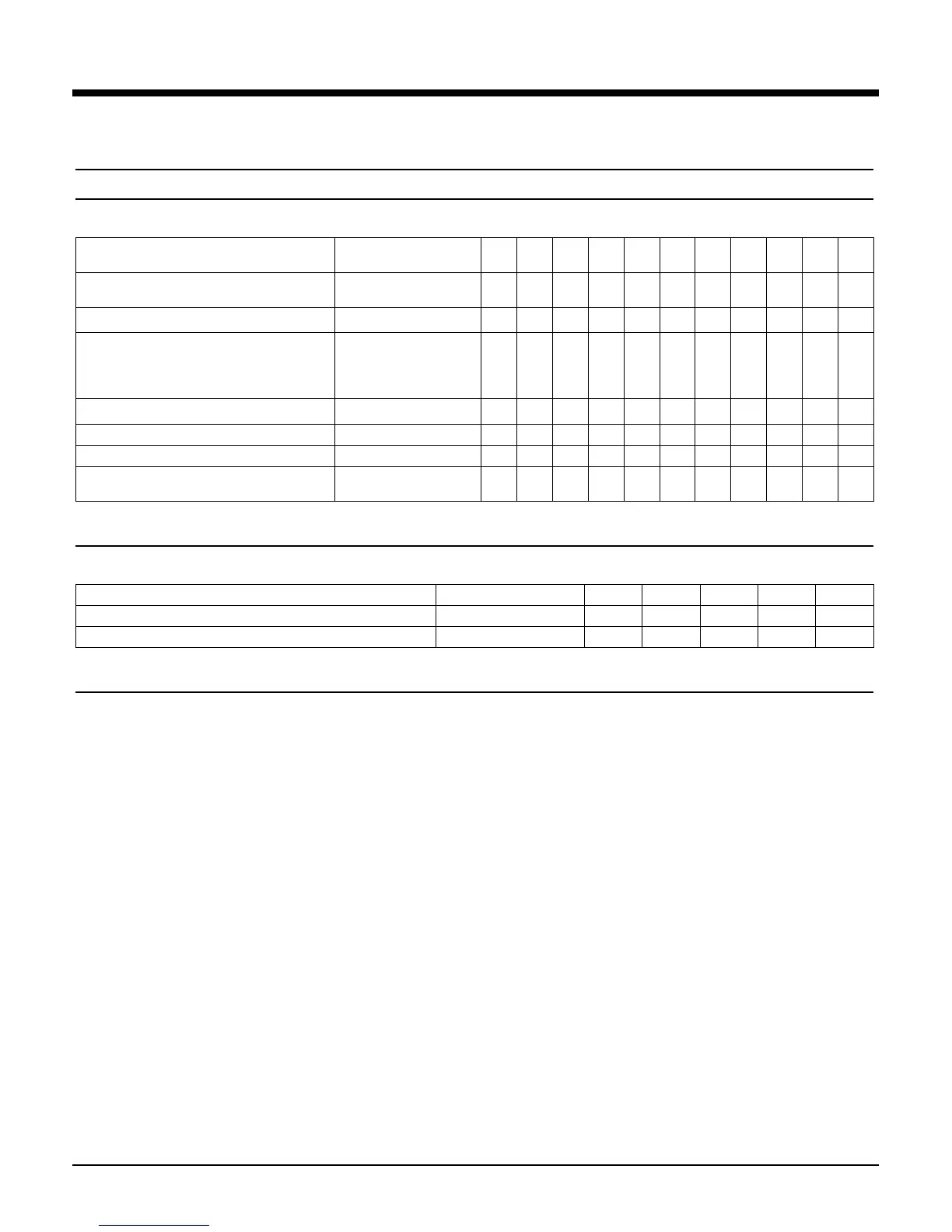
Step 5d – Optional – Select extra components for dual (redundant) switched Fibre Channel fabric
• Select extra components (beyond ones selected in step 5c) for dual (redundant) switched Fibre Channel connectivity.
Number of DS20L
domains
1 1 2 2 3 3 4 4
Number of ES40 or ES45
domains
0 1 0 1 0 1 0 1
Description Part Number
AlphaServer SC RAID FC 8EL Switch, includes
rack kit, seven fixed-media short wave optical
transceivers, one GBIC-based port (GBIC to be
ordered separately)
3X-SCFCA-AA
1 - - - - - - -
AlphaServer SC RAID FC Port Upgrade (GBIC) 3X-SCFGA-AA
- - - - - - - 2
64-bit PCI-to-Fibre Channel HBA (ES40 only) DS-KGPSA-CA
- 2 - 2 - 2 - 2
Fiber optic Cable 50/125, xx = (2,5,15,30.50) BNGBX-xx
- 2 - 2 - 2 - 2
Ethernet Cable – connects Fibre Channel
Switch(es) to management network
BN25G-03
1 - - - - - - -
Step 5e– Mandatory – Select extra AdvFS Utilities licenses
• Select extra licenses for installation on the system-storage nodes of the Compute-Serving Domains
Number of Domains
1 2 3 4 5
Description
Part Number
Quantity Quantity Quantity Quantity Quantity
ru64 UNIX Advance File System Utilities License
QL-0EGAE-AA
0 2 4 6 8
Step 5 f – Optional – Select extra RAID components for redundancy and user data
• The File Server Domain can be configured with RAID storage to serve user data. Redundancy and extra RAID user data storage can be added
using parts described above as well as cabinetry parts listed in Step 8. A storage specialist should be consulted.





 To Next Page