41
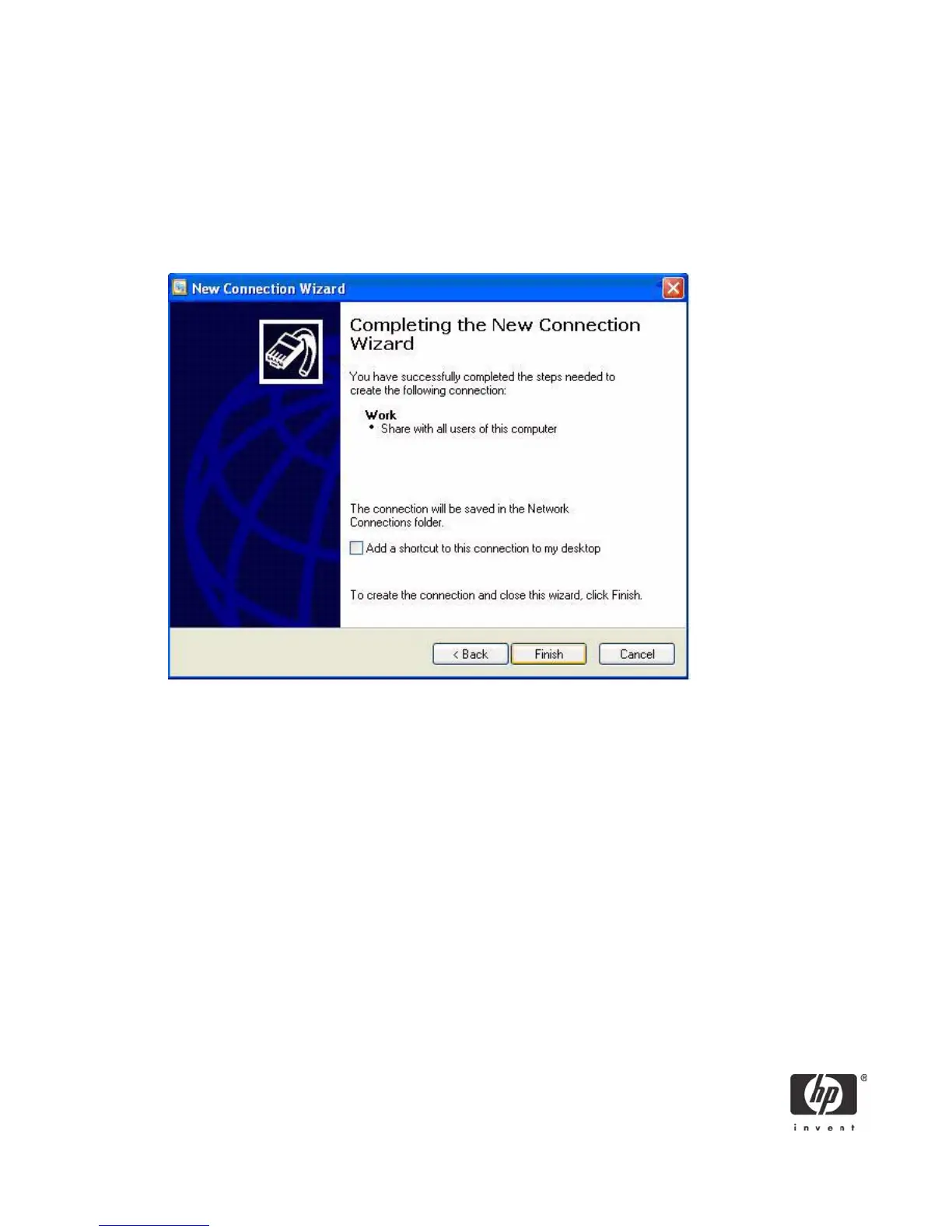
4. In the Company Name box, type the name for the VPN connection (for example, Work), and then
click Next.
5. Select Do not dial the initial connection, and then click Next.
6. In the text box, type the host name or IP address of the VPN tunnel, and then click Next.
7. Select Use my smart card, and then click Next.
8. Select Add a shortcut for this connection to my desktop, and then click Finish.
Depending upon the configuration of the VPN tunnel, you may have to change the configuration of the
VPN connection.
To change the configuration of the VPN window:
1. In Control Panel, open Network and Internet Connections > Network Connections.






 To Next Page