Need help?
Do you have a question about the HP t620 PLUS and is the answer not in the manual?
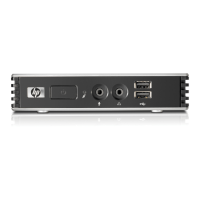
Identification and description of ports and controls on the thin client's front panel.
Identification and description of ports and connectors on the thin client's rear panel.
Essential safety instructions and precautions before performing hardware modifications.
Step-by-step guide for safely connecting the power supply to the thin client.
Procedure for safely opening and closing the thin client's chassis cover.
Guide on how to install USB flash drives onto the internal system board.
Instructions for upgrading or adding SODIMM memory modules to the thin client.
Steps for installing an optional PCIe expansion card into the thin client's slot.
Guidance on various methods for mounting the thin client using VESA standards.
Identification and description of ports and controls on the thin client's front panel.
Identification and description of ports and connectors on the thin client's rear panel.
Essential safety instructions and precautions before performing hardware modifications.
Step-by-step guide for safely connecting the power supply to the thin client.
Procedure for safely opening and closing the thin client's chassis cover.
Guide on how to install USB flash drives onto the internal system board.
Instructions for upgrading or adding SODIMM memory modules to the thin client.
Steps for installing an optional PCIe expansion card into the thin client's slot.
Guidance on various methods for mounting the thin client using VESA standards.

 To Next Page
 General