10 ProPack C400 08/2018
6 Operation
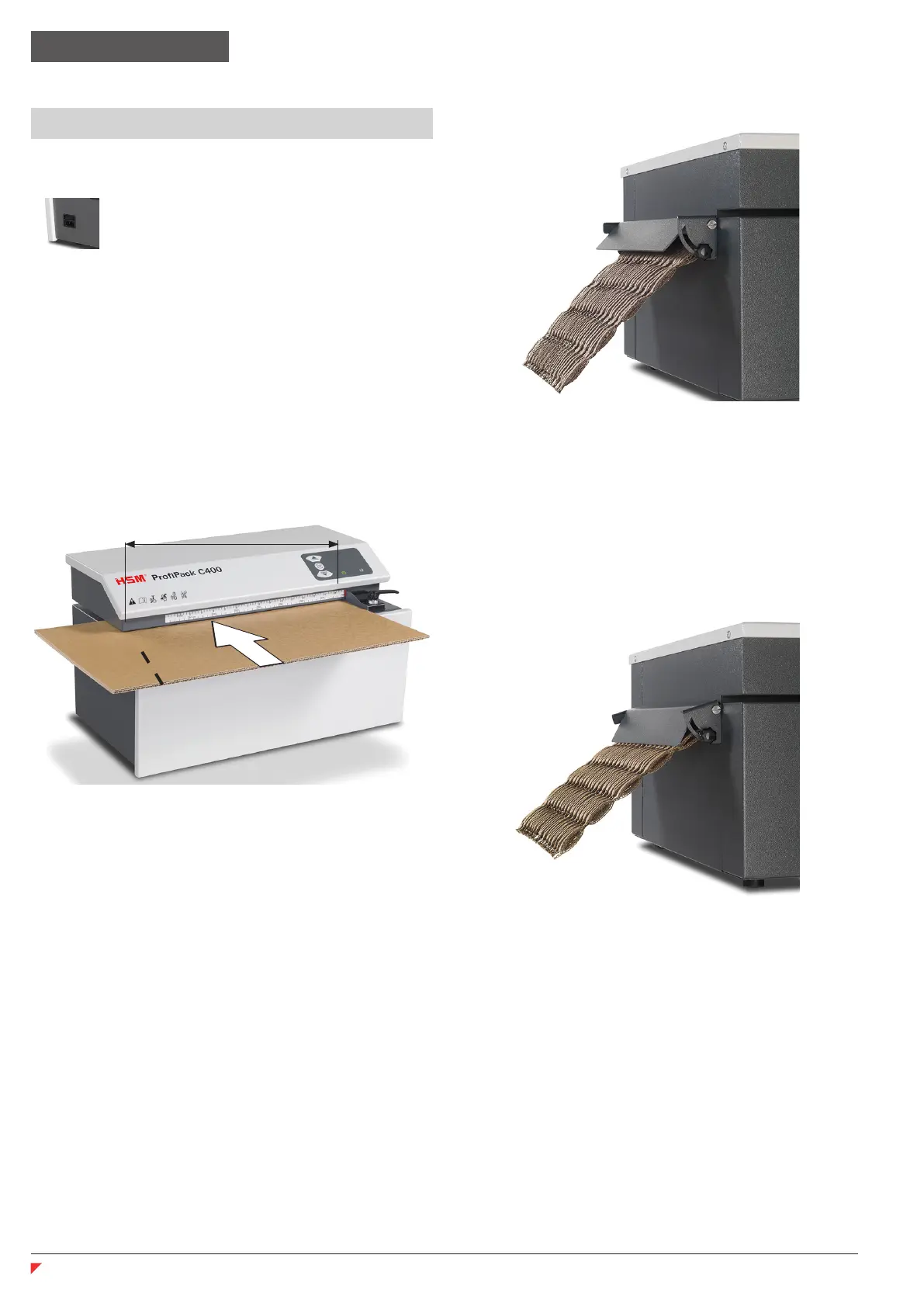
415 mm
Switching the system on
•
Movethepowerswitchattheright-
hand side to position “I”.
• The “Ready for operation” indicator
lights up.
The machine is ready to operate.
Pressthe“Forwardbutton”.
The cutting unit starts up.
Feed in cardboard
• Cardboardwidthsofupto415mmcanbe
processed.
• Wider cardboard is automatically trimmed.
• Thecuttingunitisswitchedoffusingthe
stop button.
Switch off
Movethepowerswitchontheright-handside
to position “0”.
Normal operation
Flap up
Securesettingwithstargripscrewsonleft
(nger-tight).
Padding
Flapinlowerposition
Securesettingwithstargripscrewsonleft
(nger-tight).
english


 To Next Page