JUPITER
IT - 8
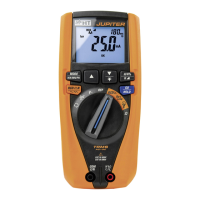
4.2.3. Key MODE/MXMNPK
A simple pressing of key MODE/MXMNPK allows for the following operations:
Selection of measuring modes “AC”, “DC” and “AC+DC” in positions V , LoZV
Selection of measuring modes “AC”, “DC” and “AC+DC” and “IRC” (see § 4.2.8) in
position
Selection of clamp transducer type in current measurement between options “ ”
(optional standard clamps) and “ ” (optional flexible clamp) in position
Selection of measurement of Overall earth resistance without RCD tripping RCD
(RCDRa ), Overall earth resistance L-PE (100mA) and Loop impedance L-L, L-N in
position Ra Loop
Selection of measurement of tripping time at “½In”, “In”, “5xIn” and tripping current
“ ” of the RCD switch in position RCD
Selection of measurement of Resistance
“” or Continuity test “ ” in position
A long pressing (>2s) of key MODE/MXMNPK allows for the activation/deactivation of
continuous detection of maximum value (MAX), minimum value (MIN), positive peak (Pk+),
negative peak (Pk-) of the quantity (voltage or current) to be measured. The values are
constantly updated and are displayed cyclically every time the same key is pressed. This
function is not active in position . Press and hold key MODE/MXMNPK (>2s) or use the
selector to exit the function.
4.2.4. Keys / and
A simple pressing of keys/ and allows for the following operations:
Setting of the full scale value of flexible clamp transducer (optional accessory - option
" ” ) in position among values: 30A, 300A, 3000A for AC current measurement.
Setting of the full scale value of standard clamp transducer (option “ ” ) in position
among values: 1A, 10A, 30A, 40A, 100A, 200A, 300A, 400A, 1000A, 2000A, 3000A
for AC and DC current measurement.
Selection of harmonic order “DC ÷ 25°” in positions V , LoZV and
Selection of calculation time of RMS value in DIRC function (see § 4.2.8).
Selection of limit on assumed contact voltage in positions Ra Loop and RCD
among the options: 25V, 50V (see § 4.2.10)
Zeroing of cable resistance in position (see § 5.4)
Long pressing (>2s) of key / allows activating/deactivating display backlight. This
function is activated in any position of the rotary switch and is automatically deactivated
after approx. 2 minutes’ idling.
4.2.5. Key RCDIN/
A simple pressing of key RCDIN/ allows for the following operations:
selection of rated tripping current of the RCD among the options: 30mA, 100mA,
300mA in position RCD.
A long pressing (>2s) of key RCDIN/ allows for the following operations:
Selection of the type of RCD among the options: “ ” (type AC), “ ” (type A) in
position RCD


 To Next Page