17
www.htc-oorsystems.com
HTC D60
V 1.0
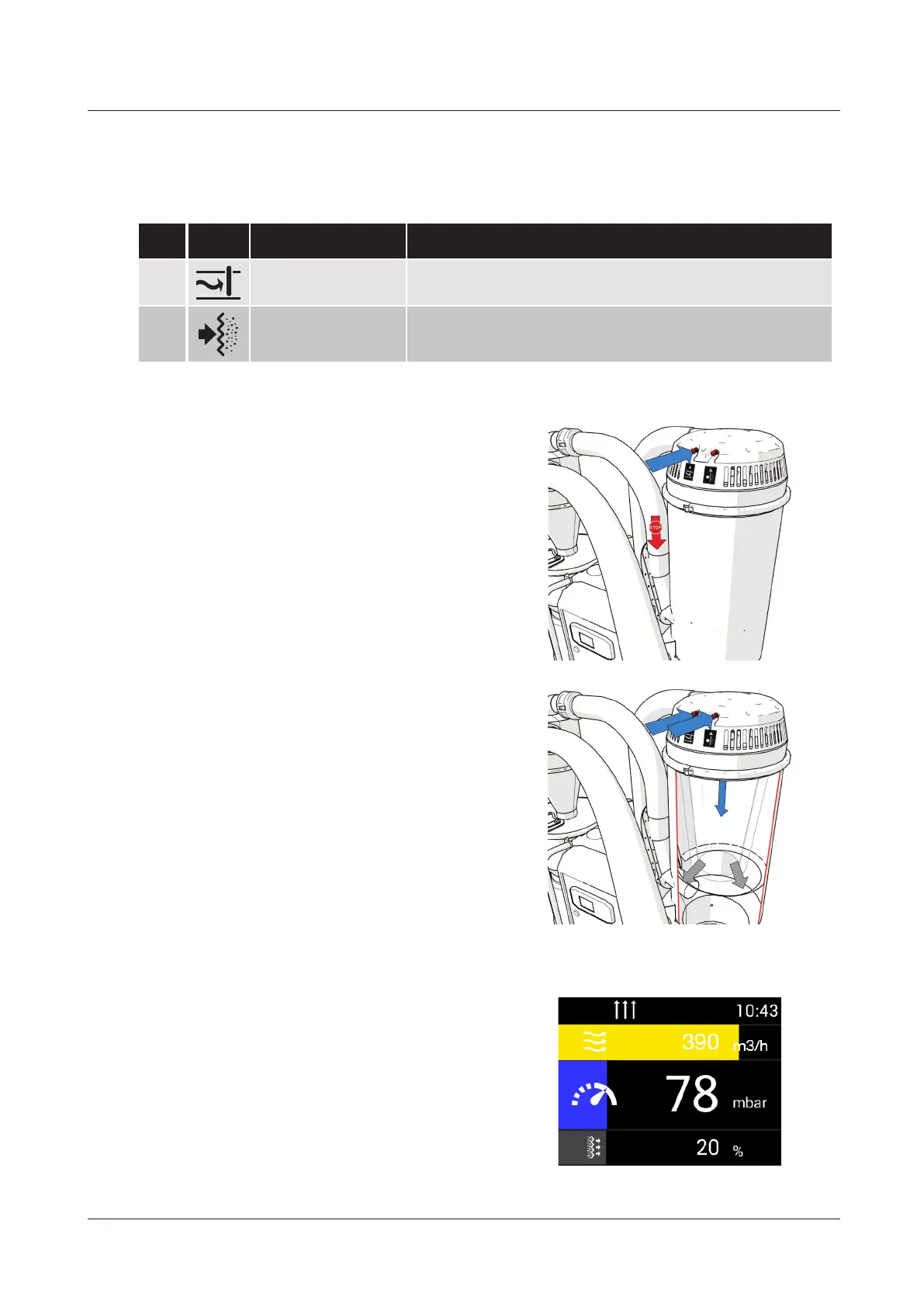
To clean the coarse lter, hold button 1 in
so that the inlet valve closes and the airow
into the coarse lter container ceases. The
side duct fan then starts to build up a greater
negative pressure.
Keep button 1 held in and then press but-
ton 2 to open the cleaning valve and clean
the coarse lter.
On the display, check that the desired
lter status is achieved after cleaning.
Otherwise, clean again.
If the lter status is above 30%,
dust is stuck in the lter and the lter
must be cleaned or replaced. See Filter
replacement 6.8
5.7 Filter cleaning
NO. Icon Name Description
1 Button 1
Closes the inlet valve to build up a negative pressure in the
coarse lter container
2 Button 2 Opens the cleaning valve to clean the coarse lter


 To Next Page