Unboxing
HTC One (M8)
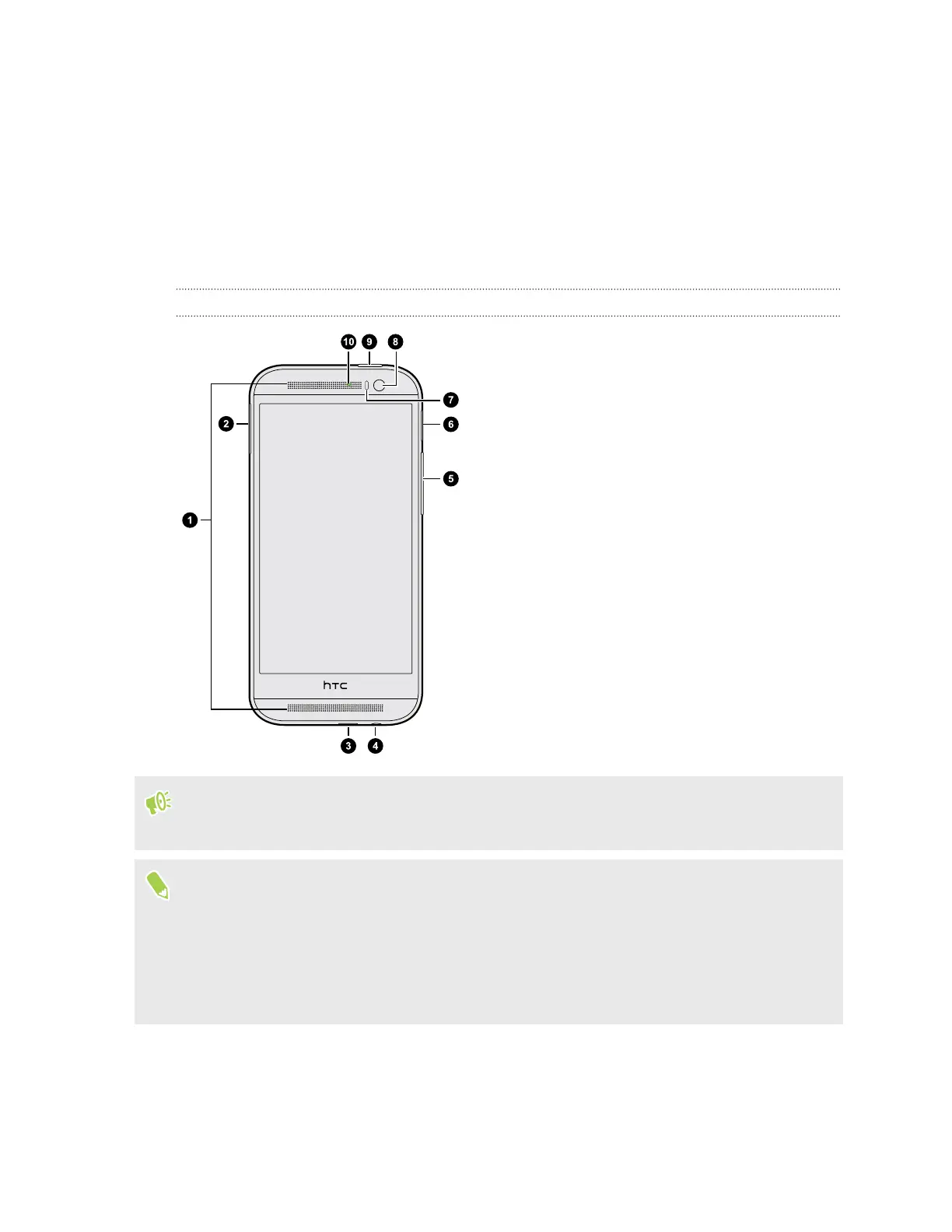
Front panel
1. Dual speakers
2. nano SIM card slot with eject hole
3. USB connector
4. 3.5mm headset jack
5. VOLUME
6. microSD
™
card slot with eject hole
7. Proximity sensor
8. Front camera
9. POWER and IR SENSOR
10. Notification LED
You need a 4G/
LTE
™
plan to use the 4G/LTE network of AT&T for voice calls and data services.
Check with AT&T for details.
§ If you want to use a case or screen protector, don’t cover and block the proximity sensor.
Purchase a case or screen protector designed for HTC One (M8).
§ Avoid liquid or dust from entering the microphone hole to prevent damage to the microphone.
§ Avoid connecting third-party headsets or accessories with metallic charms that dangle near the
headset jack. Using these may affect signal reception.
11 Unboxing



 To Next Page