Composition
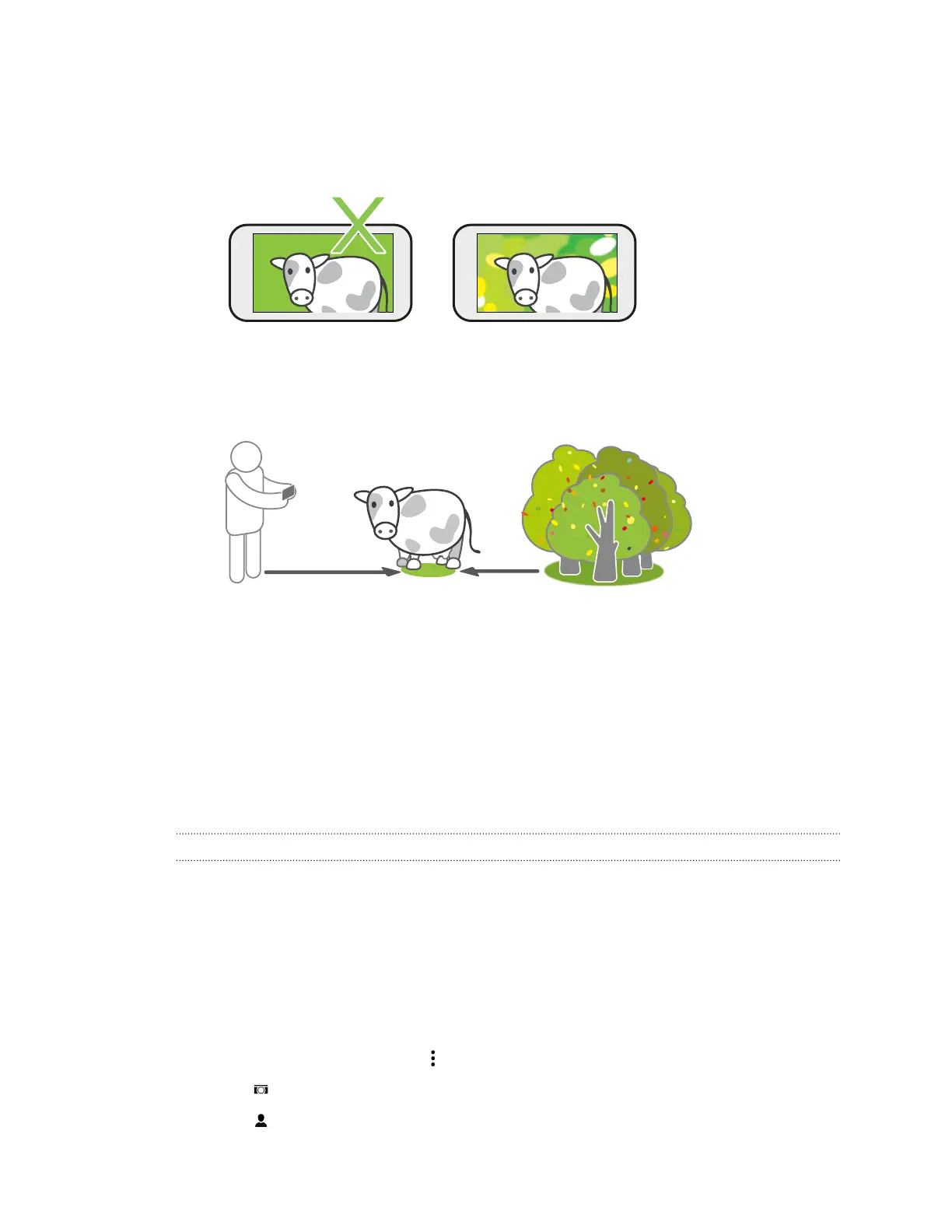
§ Choose an interesting background for your subject. Positioning your subject with some lights
or a garden in the background will add color and distinction to your photo, especially if you'll
apply the UFocus
™
effect later.
§ Duo Effects may not work on a close-up shot or on a photo that has the subject too close to
the background. When taking the shot, mind the distance between the camera and your
subject, as well as the distance between your subject and your background.
§ Still life photography looks great with Dimension Plus
™
post processing. If you'll use
Dimension Plus, however, you can arrange your subject and background to be closer together
and the distance between your camera and subject can be at least 20 centimeters.
§ Duo Effects will not work on burst shots, zoomed photos, or cropped photos.
See Photo Editor on page 87 for more information about Duo Effects.
Selfies and people shots
Tips for taking selfies and people shots
Do you want yourself, your family, and friends to look best in your shots? Here are some camera
options you can adjust or select before taking selfies and people shots.
Portrait scene
Using the Portrait scene helps a little in smoothing the skin in your selfies and people shots.
1. Switch to Camera or Selfie mode. To find out how to switch between capture modes, see
Choosing a capture mode on page 65.
2. On the Viewfinder screen, tap to show the camera options.
3. Tap .
4. Tap to select the Portrait scene.
70 Camera



 To Next Page