Using the volume buttons for taking photos and videos
In the Camera app, you can set the VOLUME buttons to function as the shutter release or zoom
controls.
1. On the Home screen, tap the camera icon to open the Camera app.
2. On the Viewfinder screen, tap .
3. Tap > Volume button options.
4. Choose how you want to use the volume buttons when you're in the Camera app.
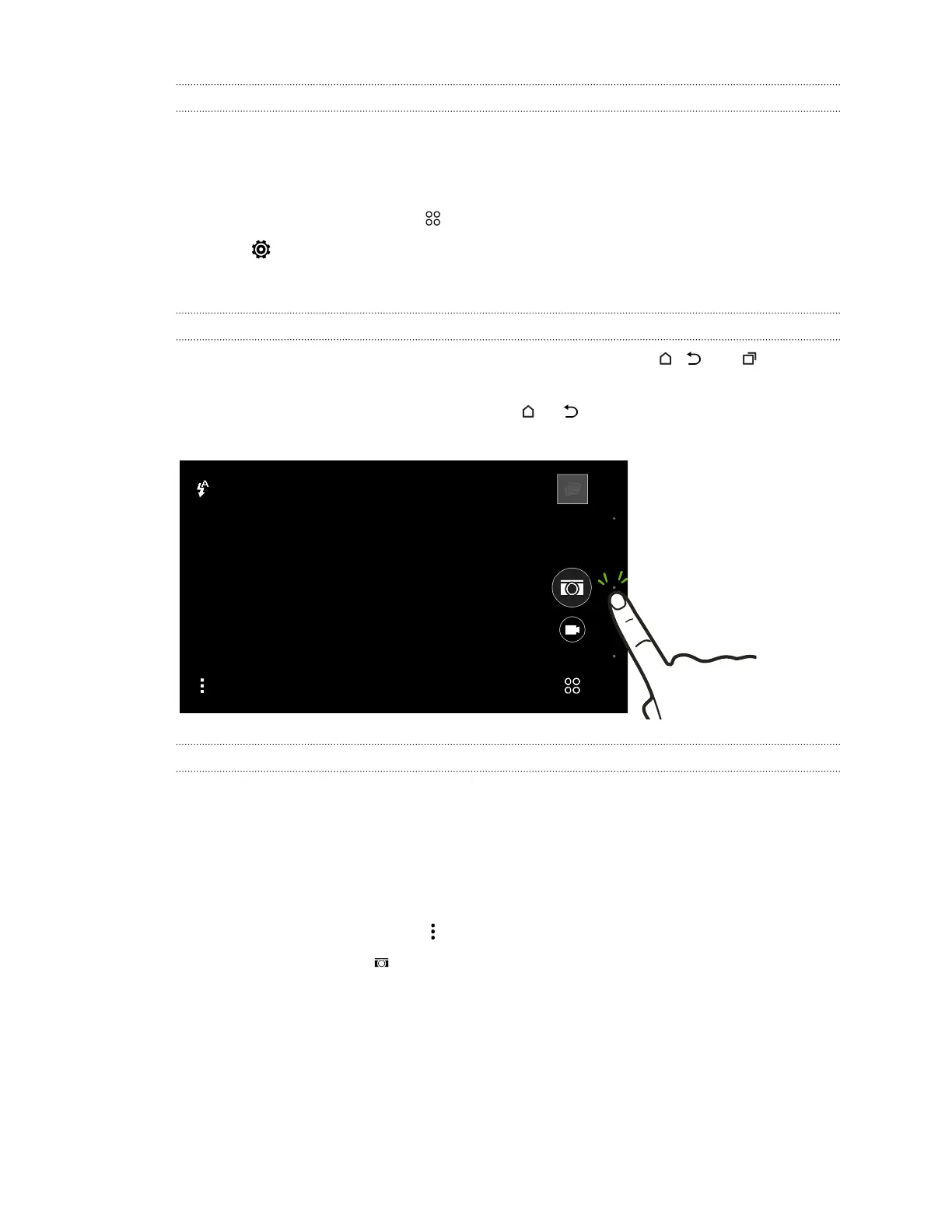
Closing the Camera app
To give you a full view of the Viewfinder screen, HTC One (M8) replaces , , and with small
dots.
Tap a dot to show these buttons again, and then tap or to close the Camera app and return to
the Home screen or the previous screen.
Taking continuous camera shots
Do you want to take photos of moving subjects? Whether it’s your kid's football game or a car race,
you can capture the action. Use the Auto scene when you want to take continuous camera shots.
1. On the Home screen, tap the camera icon to open the Camera app.
2. Switch to Camera mode, if you're not in this mode. See Choosing a capture mode on page 65
for details.
3. On the Viewfinder screen, tap to show the camera options.
Make sure you see the icon which means the Auto scene is selected.
68 Camera



 To Next Page