18 Quick Start Guide
10. Revitalize Your Social Networks
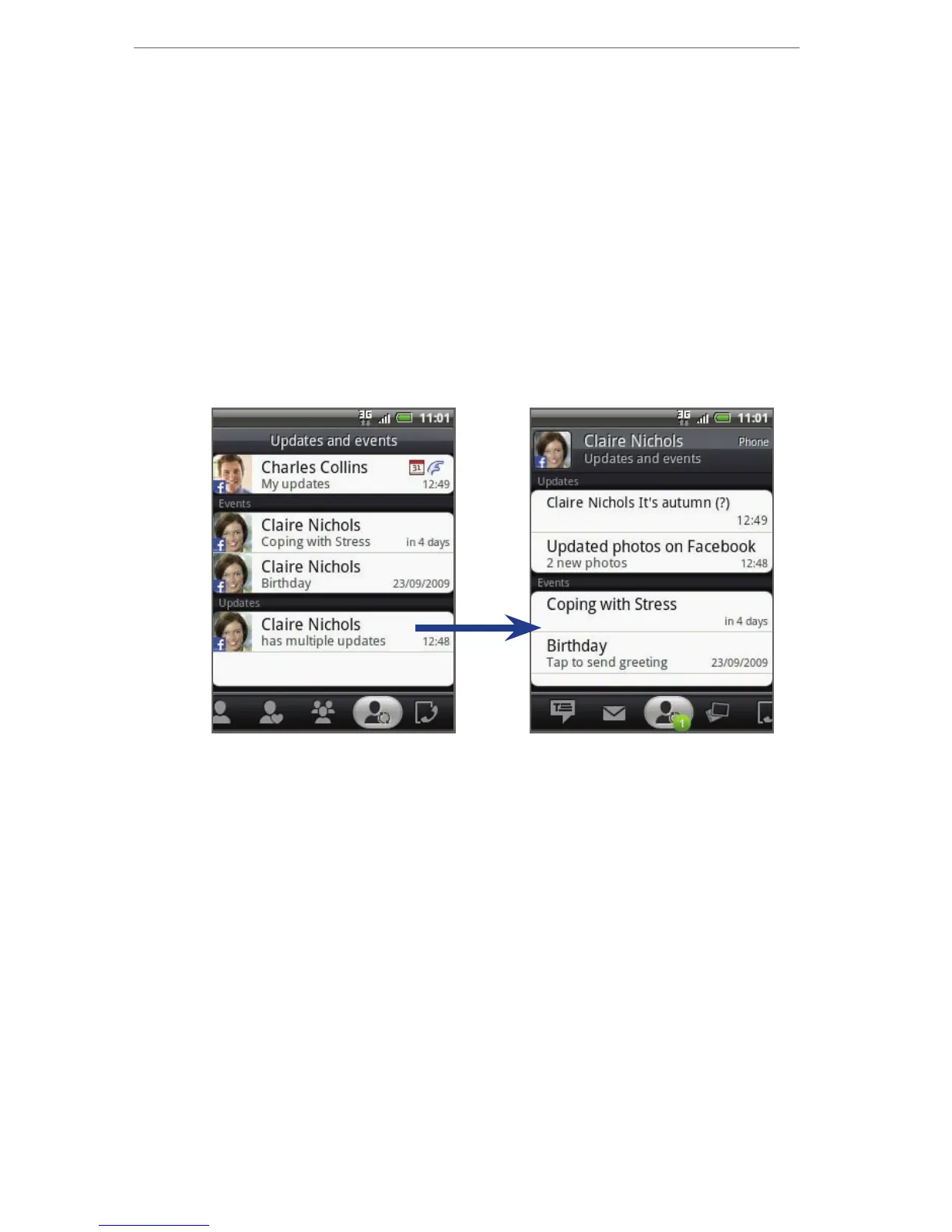
Stay in the loop with your friends with the social
networking features of your phone. Update your status
and get updates on events, photos, and status of your
friends on Facebook™, view photos on Flickr®, and follow
your tweets using Peep.
The People application is tightly integrated with
Facebook and Flickr, letting you know if your friends have
updates on their accounts.
Refer to Chapter 3 and 9 of the User Manual PDF to learn
more about People and Peep (the Twitter client on the
phone).



 To Next Page