6 Quick Start Guide
5
Put the battery back in
1. Align the battery’s exposed
copper contacts with the
battery connectors inside the
battery compartment.
2. Insert the contact side of the
battery first then gently push
the battery into place.
6
Insert the microSD card
1. Insert the microSD card into
the slot with its gold contacts
facing down.
2.
Press the microSD card all the
way to the slot until it clicks
into place. .
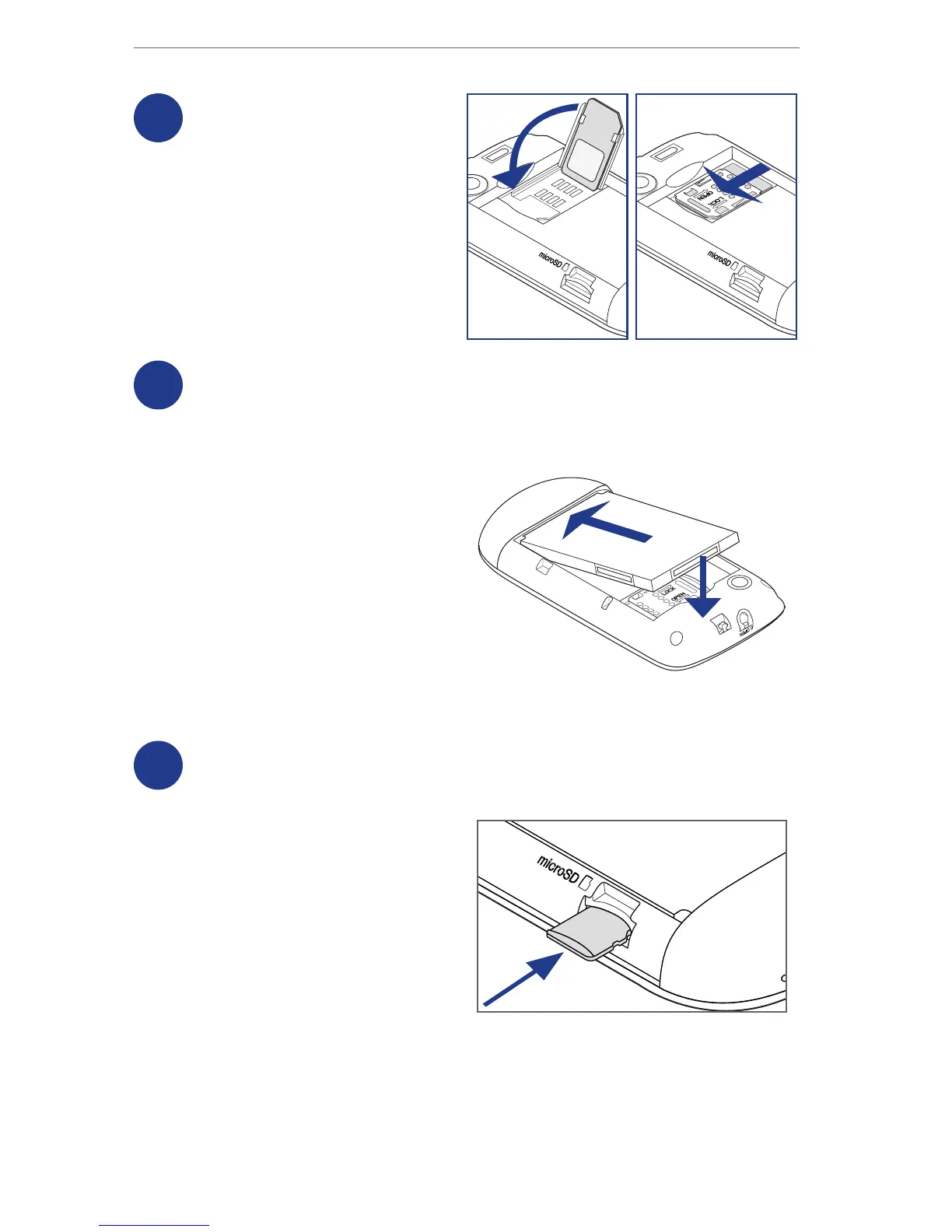
4
Lock the SIM card holder
Replace the SIM card holder and
then slide the SIM card holder to
the left with your thumb until it
is locked in place.



 To Next Page