Home Theater Direct
Toll free: 866-HTD-AUDIO (483-2834)
www.htd.com
info@htd.com
Troubleshooting:
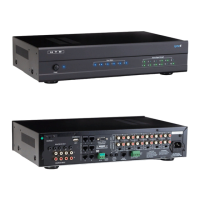
If you are receiving no sound within one or multiple zones - make sure each channel on the 12-channel amplier is set
to “Line” (see page 9).
Using the double-sided tape that is included with the Lyncpad keypad:
We have included two pieces of double sided tape to use as a “spacer” if needed between the drywall and the metal frame of
the LyncPad. This will enable to you to bring the keypad “off” the wall if needed so that once the magnet frame of the LyncPad
is placed onto the LyncPad the frame will sit ush to the LyncPad and the wall. This is often only used for pre-install (or new
work) electrical boxes that are recessed behind the drywall. If you have an old work box then you will likely not need the double
sided tape as the LyncPad’s frame will be slightly off the surface of the drywall due to the old work box having a “lip” that sits
on the front of the drywall already.
® iPod is a registered trademark of
Apple Computer, Inc.
Whole-House Audio Control Addendum
This device complies with Part 15 of the FCC Rules. Operation is subjected to the following two conditions:
1) this device may not cause harmful interference and,
2) this device must accept any interference received,including interference that may cause undesired
operation.
1. Cut hole for
LyncPad
2. Apply
tape directly
to drywall
3. Install
LyncPad
4. Install
LyncPad
plate
5. Check distance
between Lyncpad
plate and drywall



 To Next Page