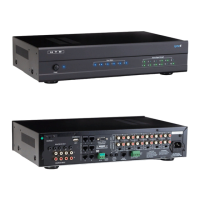
Introducing Phone-to-Zone™!
Phone-to-Z
one™ is a unique feature developed specifically for the Lync 6 v3 and Lync 12 v3 controllers. Phone-to-
Zone™ allows you to use your phone or smart device to "intercom" with any zone in your home! Calls are initiated
from the phone and achieve two-way communication with any LyncPad. If a zone does not have a LyncPad installed,
you can still initiate a one-way call (page) into the zone. Calls can be made from within your home’s Wi-Fi network or
from virtually anywhere in the world with an internet connection.
Requirements
Lync
v3 Whole-House Audio Controller (Lync 6 v3 or Lync 12 v3)
DI-21 with Phone-to-Zone™ feature
Dedicated device to run Skype™ or other VOIP service that includes an auto-answer feature (typically an
inexpensive Android device)
Setting up Skype™
Phone-t
o-Zone™ works with any VOIP service that includes auto-answer. For security reasons, you will also want a
service that can limit inbound calls to a specified list. Because Skype™ offers both features, and because it is the only
service we have extensively tested, we highly recommend using Skype™ for your VOIP service. Here are the steps for
using Skype™:
1.) Get a dedicated Skype™ account (currently free) by visiting www.Skype.com. Even if you already have a
Skype™ account you will want a separate, dedicated account to use with Phone-to-Zone™. This new account
will be set to auto-answer and accept inbound calls only from a very limited Contacts list.
2.) Connect a dedicated third-party device to your home’s network and download the Skype™ app. This
device will typically be an old PC, Android phone or Android tablet. At the time of this printing, the auto-
answer feature was not available to iOS devices. If you need to purchase a new device, we recommend
getting an inexpensive Android tablet (typically $50-$100 online). This device must include an output jack for
audio (headphones) and an input jack for a microphone. Most phones and tablets offer both through a
common 3.5mm jack but it is also fine if separate jacks are provided, as is the case with many older PCs. Be
careful- some of the least expensive Android tablets do not include a microphone input jack.
3.) Open the Skype™ app on your third-party device and login using your new Skype™ account.
Go to “Tools > Options > Calls > Call Settings [Show advanced options]” and select:
Allow calls from . . . “people in my Contact list only”
Answer incoming calls automatically
OPTIONAL: Allow calls to my Skype number(s) from . . . “phone numbers in my Contact list only”.
NOTE: this feature is only available when you choose to purchase a regular phone number, called a
“Skype number”, for use with your Skype™ account. A Skype number is not necessary and not
recommended for use with Phone-to-Zone.



 To Next Page