Android system, please download the APP software first.
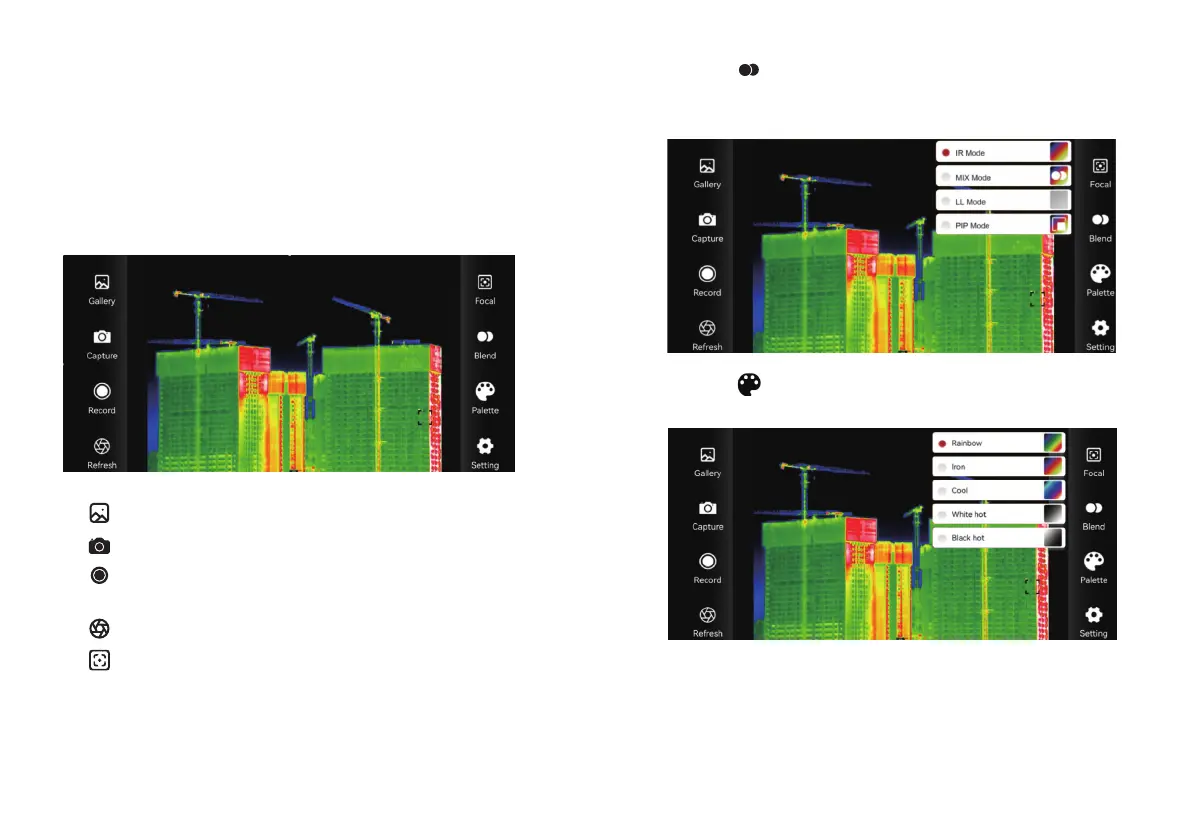
Click the “ ” icon to change the mode, which can be set to four
modes: infrared, mixed, low-light, and picture-in-picture, as shown
in the figure below.
Click the “ ” palette icon to set as rainbow, iron red, cool color,
white hot, black hot five color palettes, as shown in the figure below.
Connect the device hotspot after the device is powered on.
The default connection hotspot name of this device: Thermal-XXXX
(XXXX is the last four digits of the device MAC) After connecting to
the hotspot, open the APP software to enter the interface, the
interface is displayed as follows:
Connecting WIFI
1918
“ ” Gallery, view pictures and videos.
“ ” Snap the image.
“ ” Record, click this icon to record video, click
again to end recording.
“ ” Refresh, refresh block.
“ ” Focal, adjust the focus to make the image clearer.
Click the “ ” palette icon to set as rainbow, iron red, cool color,


 To Next Page