Need help?
Do you have a question about the Htzsafe T804 and is the answer not in the manual?
Introduces the plug-in receiver and its main features like Power Plug, Volume, Melody, and Indicator Light.
Provides detailed descriptions for the receiver's Power Plug, Volume, Melody, and Indicator Light functions.
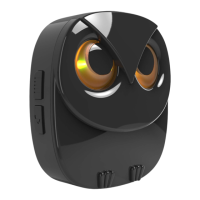
Introduces the wireless motion sensor, its Sensor Eye, and Speaker.
Details the Indicator Light, Battery Compartment, and Sensitivity Jumper of the motion sensor.
Step 1: Plugging the receiver into an outlet for normal operation.
Guide on how to select High or Low sensitivity for the motion sensor using a jumper.
Instructions for inserting 3 AA batteries into the motion sensor, noting polarity.
How to activate the motion sensor by waving hands and confirm it's ready.
Guidance on fixing the back cover to ensure the sensor is waterproof for outdoor use.
How to select one of the 35 optional melodies for the sensor.
Steps for installing the wireless motion sensor using long and short screws.
Tips for secure mounting, directional pointing, and placement for effective detection.
Step-by-step instructions to add additional sensors to the system.
How to confirm that a sensor has been successfully added to the receiver.
Process to choose and assign a melody for each individual sensor.
Instructions on how to remove all previously paired sensors from the receiver.
How to change the alarm volume of the receiver to one of four levels.
Steps to select a different melody for a specific sensor.
Physical dimensions of the plug-in receiver unit.
Technical details for the motion sensor, including range, angle, frequency, and battery.
Working voltage, current, and wireless frequency for the plug-in receiver.
 General
| Brand | Htzsafe |
|---|---|
| Model | T804 |
| Category | Security System |
| Operating Humidity | ≤95% RH |
| Wireless Frequency | 433 MHz |
| Operating Temperature | -10°C ~ +50°C |
| Antenna | Built-in |
| Installation | Wall-mounted |

 To Next Page