Setup
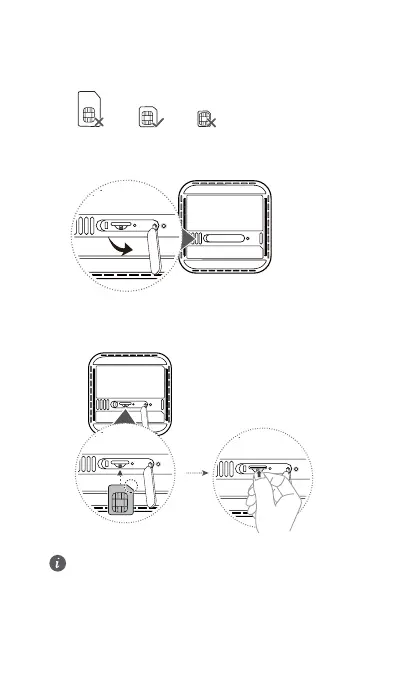
1 Make sure you use the correct SIM card.
mini-SIM (2FF)
micro-SIM (3FF)
nano-SIM (4FF)
2 Open the SIM card cover.
3 Insert the SIM card gently into the SIM card slot in the direction
shown in the figure below until it clicks. Then close the SIM card
cover.
• To remove the SIM card, gently press the SIM card in until
it clicks. The card will automatically pop out.
• Do not insert or remove a SIM card when the router is
running, as this may affect performance or damage the
SIM card.
4 Connect the power adapter to the router.
2


 To Next Page