English
Charging
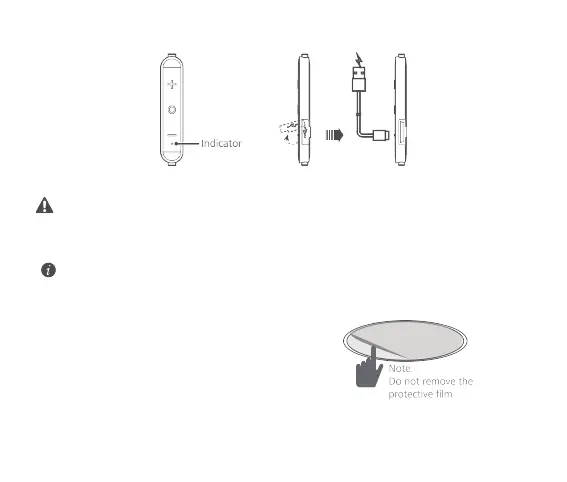
During charging, the indicator is steady red.
When the headphone is fully charged, the indicator is steady blue.
If the headphone powers off due to insufficient battery level, charge the headphone
within 30 days. Otherwise, charging failure may occur.
Restoring to factory settings
To restore to factory settings, press and hold the function button for 10 seconds when your headphones are
powered off. This will cause Bluetooth pairing information to be wiped.
The indicator will turn blue, blink red and blue, and then turn red during factory reset. Do not
release your finger.
Note
:
The CD decorative cover that comes with the headphones has been anodized for the purpose of insulation. The
protective film is also insulative.
6








 To Next Page