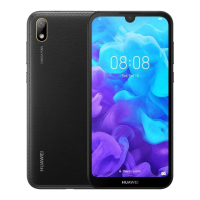
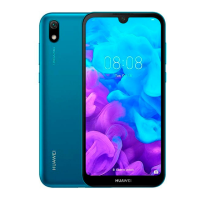
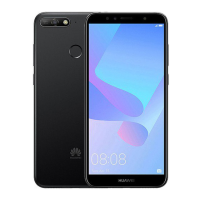
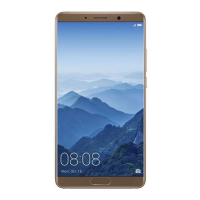
This document is a Quick Start Guide for the HUAWEI AMN-LX9X device, providing essential information for its setup, operation, and safety.
The device is a mobile phone, as indicated by the presence of SIM card slots, a Micro-USB port, volume and power buttons, and references to cellular network operations.
Function Description:
The AMN-LX9X is a mobile communication device designed for making and receiving calls, sending and receiving data over cellular networks, and potentially other smart device functionalities. It supports both single-SIM and dual-SIM configurations, with the latter operating under a "Dual Card Dual Standby Single Pass" mechanism. This means that while two SIM cards can be active for standby, only one can be actively used for calls or data services at any given time. For instance, if SIM card 1 is in use for a call, SIM card 2 cannot receive or make calls, and if SIM card 1 is using data, SIM card 2's data service will be disabled. This single-pass feature is noted to help reduce power consumption and increase standby time. The device also includes Wi-Fi capabilities for wireless data connections and Bluetooth for short-range wireless communication.
Important Technical Specifications:
- Model Number: AMN-LX9X
- Operating Temperatures: Ideal operating temperatures are between 0 °C and 35 °C.
- Storage Temperatures: Ideal storage temperatures are between -20 °C and +45 °C.
- SAR Values (EU Regulatory Conformance):
- At the ear: 0.49 W/kg
- Worn on the body (0.50 cm distance): 1.22 W/kg
- SAR Values (FCC Regulatory Compliance):
- At the ear: 0.49 W/kg
- Worn on the body (1.50 cm distance): 0.72 W/kg
- Using Wi-Fi hotspot function: 0.79 W/kg
- The FCC SAR limit is 1.6 W/kg averaged over one gram of tissue.
- Supported Frequency Bands and Maximum Transmit Power (EU):
- GSM900: 35dBm
- GSM1800: 34dBm
- WCDMA900/2100: 25.7dBm
- LTE Band 1/3/7/8/20: 25.7dBm
- Wi-Fi 2.4G: 20dBm
- Bluetooth: 20dBm
- Software Version: AMN-LX9X: 9.0.1.75(C900E31R1P2)
- Recommended Accessories:
- Adapters: HW-050100X01, HW-050200X02 (with various plug types)
- Batteries: HB405979ECW
- Earphones: MEND1532B528A02, 1293-3283-3.5MM-322, EPAB542-2WH05-DH
- Compliance: Complies with EU Directive 2014/53/EU (RED), FCC Part 15 rules, and local applicable rules on the restriction of hazardous substances (REACH, RoHS, Batteries).
Usage Features:
- Power On/Off/Restart: The device can be powered on by pressing and holding the power button until the screen turns on. To power off or restart, press and hold the power button and then select the appropriate option on the screen. A forced restart can be performed by pressing and holding the power button for 10 or more seconds.
- SIM Card Installation: The guide provides clear instructions with illustrations for inserting SIM and microSD cards using an eject pin. Users are cautioned against inserting or removing SIM cards while the device is powered on and against using cut or modified cards.
- Dual-SIM Management: For dual-SIM devices, call forwarding between SIMs can be enabled to avoid missed calls, especially given the single-pass nature of the dual-standby feature.
- Tips App: The device comes with a pre-installed "Tips" app to help users learn about its features.
- Legal and Safety Information Access: Users can access legal information, safety information, authentication info, and certification logos through the device's Settings menu (Settings > System > About phone).
- Network Restrictions: The device may have restrictions on use depending on the local network. For Norway, there is a specific restriction for the 2.4 GHz band within a 20 km radius of Ny-Ålesund.
Maintenance Features:
- Software Updates: The manufacturer will release software updates to fix bugs and enhance functions, and all released versions are verified to be compliant with regulations. RF parameters are not user-accessible or changeable.
- Battery Replacement: The device contains a built-in battery that should not be replaced by the user. Users are strongly advised to contact a Huawei authorized service center for battery replacement to ensure proper device function and personal safety.
- Disposal and Recycling: The device, battery, and accessories should be disposed of according to local regulations, not as normal household waste. Electronic products and batteries must be taken to separate waste collection points for recycling to conserve materials and protect health and the environment. Information on proper disposal can be found on the Huawei consumer website.
- Environmental Care:
- Avoid using the device in dusty, smoky, damp, or dirty environments or near magnetic fields to prevent damage.
- Keep the device and battery away from excessive heat and direct sunlight, and do not place them on or in heating devices.
- Unplug the charger from electrical outlets and the device when not in use.
- Do not use, store, or transport the device where flammables or explosives are stored.
- Charger Safety: When charging, ensure the power adapter is plugged into an easily accessible socket near the device.
- Hearing Protection: To prevent hearing damage, avoid listening at high volume levels for long periods.
- Pacemaker Safety: Maintain a minimum distance of 15 cm between the device and a pacemaker to prevent interference. If using a pacemaker, hold the device on the side opposite the pacemaker and do not carry it in a front pocket.
- Aircraft Usage: Only use the device according to provided instructions when flying in an aircraft or immediately before boarding, as wireless devices can disrupt wireless networks and aircraft operation.
- Driving Safety: Observe local laws and regulations; do not use the wireless device while driving to reduce accident risk.

 Need help?
 General

 To Next Page