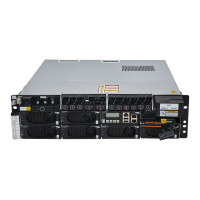
Figure 5-3 DCDU-03............................................................................................................................................5-4
Figure 5-4 Ports on the panel of the DCDU-03....................................................................................................5-5
Figure 5-5 HEUA.................................................................................................................................................5-7
Figure 5-6 Ports on the HEUA.............................................................................................................................5-7
Figure 6-1 Installation modes of the APM30H....................................................................................................6-2
Figure 6-2 Space requirements of a single APM30H (unit: mm)........................................................................ 6-3
Figure 6-3 Space requirements of the combined APM30H and IBBS200T (unit: mm)......................................6-3
Figure 6-4 Space requirements of the combined APM30H and IBBS200T (unit: mm)......................................6-4
Figure 6-5 Recommended dimensions of the concrete base................................................................................6-4
Figure 6-6 Determining the installation position (unit: mm)...............................................................................6-5
Figure 6-7 Installing the expansion bolt assembly...............................................................................................6-6
Figure 6-8 Securing the base................................................................................................................................6-6
Figure 6-9 Removing the rubber caps from the holes at the bottom of the APM30H.........................................6-7
Figure 6-10 Installing a lifting eye.......................................................................................................................6-8
Figure 6-11 Securing the APM30H......................................................................................................................6-9
Figure 6-12 Removing the lifting eyes.................................................................................................................6-9
Figure 6-13 Installing the IBBS200T.................................................................................................................6-10
Figure 6-14 Removing the rubber caps from the top of the IBBS200T.............................................................6-11
Figure 6-15 Removing the cover plate from the IBBS200T..............................................................................6-11
Figure 6-16 Installing the cover plate for leading out the cables on the IBBS200T..........................................6-12
Figure 6-17 Removing the rubber caps from the holes at the bottom of the APM30H.....................................6-12
Figure 6-18 Stacking the APM30H on the IBBS200T.......................................................................................6-13
Figure 6-19 Setting the DIP switch on the PMU................................................................................................6-14
Figure 6-20 Loosening the handle......................................................................................................................6-15
Figure 6-21 Installing the PMU/PSU.................................................................................................................6-15
Figure 6-22 Position for installing the user equipment......................................................................................6-16
Figure 6-23 Removing the screws from the columns.........................................................................................6-16
Figure 6-24 Installing the user equipment..........................................................................................................6-17
Figure 6-25 Battery MCB under the PMU.........................................................................................................6-18
Figure 6-26 Connecting the batteries in series...................................................................................................6-19
Figure 6-27 Installing the APM30H PGND cable.............................................................................................6-20
Figure 6-28 Different cable connections of different AC input power modes...................................................6-21
Figure 6-29 AC wiring terminals.......................................................................................................................6-21
Figure 6-30 Removing the short-circuiting strip................................................................................................6-22
Figure 6-31 Installing the AC input power cable...............................................................................................6-23
Figure 6-32 Installing the IBBS200T equipotential cable..................................................................................6-24
Figure 6-33 Removing the cover of the junction box........................................................................................6-25
Figure 6-34 Installing the battery power cable...................................................................................................6-26
Figure 6-35 Installing the TEC cooler power cable...........................................................................................6-27
Figure 6-36 IBBS200T signal cable...................................................................................................................6-28
Figure 6-37 Installing the IBBS200T signal cable.............................................................................................6-29
Figure 6-38 Sealing the cable holes from inside of the cabinet.........................................................................6-30
Figures
APM30H
User Guide
iv Huawei Proprietary and Confidential
Copyright © Huawei Technologies Co., Ltd
Issue 01 (2008-10-08)


 To Next Page
 Loading...