Need help?
Do you have a question about the Huawei B612 and is the answer not in the manual?
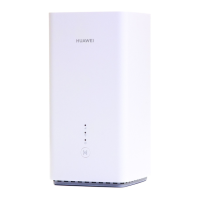
Identifies and labels the key components, ports, buttons, and indicators of the B612 LTE CPE device.
Guides users through inserting a SIM card, connecting power, and understanding network connection indicators.
Instructions for connecting devices to the router's Wi-Fi network and recommendations for securing it.
Details on accessing the router's web interface for configuration and changing default login credentials.
Explains how to connect computers and landline phones to the router for internet access and calls.
Provides instructions for installing external antennas and important safety precautions for their use.
Describes how to connect to the internet using an Ethernet port as an alternative to mobile data.
Instructions for downloading the Huawei HiLink App to manage the router from a smartphone.
Offers guidance on resolving router issues and lists contact points for further support.
Addresses frequently asked questions regarding factory resets, WPS connections, and web UI cache.
Helps diagnose problems related to indicator lights, poor signal reception, and accessing the management page.
Covers general device safety, interference with medical equipment, flammable environments, and traffic safety.
Safety for vehicles, air travel, and optimal operating environments, including temperature and protection.
Details proper device handling, child/pet safety, and accessory compatibility for safe operation.
Critical safety instructions for the power adapter, including handling, damage, liquid exposure, and maintenance.
Procedures for long-term storage, handling malfunctions, and proper disposal and recycling of the device.
Details hazardous substance compliance, EU regulatory conformance, and potential usage restrictions.
Specifies frequency bands, power levels, recommended accessories, and software information.
Covers copyright, reproduction rights, trademarks, and important notices regarding product features.
Contains disclaimers about manual accuracy, liability, import/export regulations, and privacy policy.
This document provides a quick start guide for the Huawei B612 LTE CPE router, outlining its product overview, setup, configuration, and additional information including safety guidelines and troubleshooting.
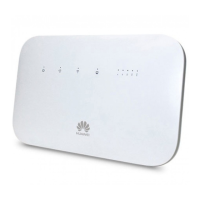
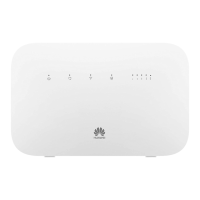
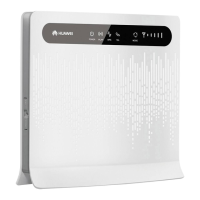
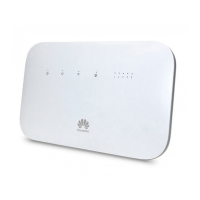
The Huawei B612 LTE CPE is a router designed to provide Internet access via a mobile data network. It supports a micro-SIM card for mobile network connectivity and offers Wi-Fi® for wireless devices, as well as LAN/WAN ports for wired connections. The device includes a landline phone port, enabling telephone calls through the router. It also features external antenna sockets to enhance signal reception, and a WPS button for easy Wi-Fi Protected Setup.
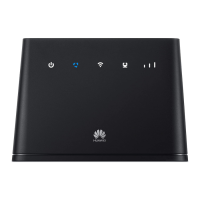
Product Overview: The router features several indicators for easy monitoring:
Setup:
Connecting to the Router's Wi-Fi Network: After the router connects to a mobile data network, users can connect computers or mobile phones to its Wi-Fi network. The default wireless network name (SSID) and password (Wi-Fi KEY) are found on the label on the back of the router.
Configuring the Router: The router can be configured using its web-based management page. The default IP address, user name, and password are provided on the label on the back of the router. More detailed information is available in the help section of the web-based management page.
Optional Configurations:
Troubleshooting:
Additional Information:
FAQs:
Safety Information:
Disposal and Recycling Information: The crossed-out wheeled-bin symbol indicates that electronic products and batteries should be disposed of at separate waste collection points, not with household garbage. Proper collection and recycling help conserve materials and protect health and the environment.
Reduction of Hazardous Substances: The device complies with local regulations on hazardous substances (e.g., EU REACH, RoHS).
EU Regulatory Conformance: Huawei Technologies Co., Ltd. declares compliance with Directive 2014/53/EU. The Declaration of Conformity (DoC) is available online. The device can be operated in all EU member states, observing national and local regulations. Restrictions apply to the 2.4 GHz band in Norway within a 20 km radius of Ny-Ålesund.
ErP Product Information: Huawei products conform to the Energy-related Products Directive (ErP) 2009/125/EC. Detailed ErP information and user manuals are available online.
Frequency Bands and Power: Information on frequency bands and maximum radio-frequency power transmitted is provided, adhering to harmonized standards.
Accessories and Software Information: Optional accessories can be purchased from licensed vendors. The product software version is 11.190.00.01.00. Software updates will be released to fix bugs or enhance functions. All RF parameters are not user-accessible or changeable.
Legal Notice: Copyright © Huawei Technologies Co., Ltd. 2017. All rights reserved. Reproduction or transmission of this manual is prohibited without prior written consent. The manual may include copyrighted Huawei software. Trademarks and permissions are noted. Features may vary based on local network settings. Huawei reserves the right to modify information without liability.
Disclaimer: The manual is provided "as is" without warranties. Huawei is not liable for special, incidental, indirect, or consequential damages. Maximum liability is limited to the purchase price.
Import and Export Regulations: Customers must comply with applicable export and import laws.
Privacy Policy: A privacy policy is available on the Huawei consumer website.
 General
| Upload Speed | 50 Mbps |
|---|---|
| Model | B612 |
| Wi-Fi Standards | 802.11b/g/n |
| Wi-Fi Frequency | 2.4 GHz |
| Ethernet Ports | 4 |
| SIM Card Slot | Yes |

 To Next Page