English
7
System Update
You can update the camera's system firmware. When updating, the camera must be
connected to your phone. Therefore, ensure that your phone has sufficient battery
power.
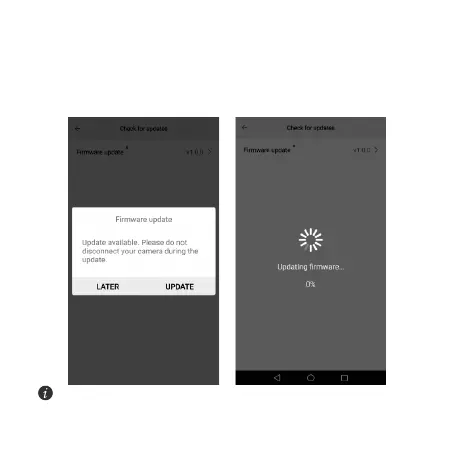
When a firmware update is available for download, the update information will appear
in the app. Touch
OK
to update.
Do not disconnect the camera from your phone during the update process.
Otherwise, the update will fail. In this case, re-connect the camera to update.


 To Next Page