EasyManua.ls Logo

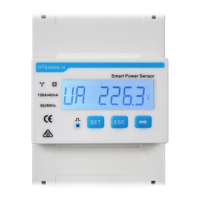
Huawei DTSU666-H - User Manual

Huawei DTSU666-H
33 pages
Print Icon
To Next Page IconTo Next Page
Loading...
DTSU666-H 100 A and 250 A Smart Power Sensor
User Manual
Issue 06
Date 2024-05-06
HUAWEI DIGITAL POWER TECHNOLOGIES CO., LTD.

Other manuals for Huawei DTSU666-H

Questions and Answers

  • J
    James HigginsAug 3, 2025
    How to fix no display on Huawei DTSU666-H Accessories after powering on?
    • J
      Jennifer BerryAug 3, 2025
      If your Huawei Accessories instrument shows no display after being powered on, there are a couple of potential reasons. First, the wiring mode might be incorrect. Ensure that you connect the device based on the correct wiring mode, referring to the wiring diagram. Second, the voltage supplied to the instrument might be abnormal. Make sure that the supplied voltage matches the instrument's specification.
  • K
    kellerlaurenAug 7, 2025
    What to do if there is abnormal RS485 communication in Huawei Accessories?
    • N
      norrisvictoriaAug 7, 2025
      If you are experiencing abnormal RS485 communication with your Huawei Accessories, there are a couple of things you can check: * First, examine the RS485 communication cable for disconnections, short circuits, or reversed connections. If you find any issues, replace the cable. * Second, ensure that the address, baud rate, data bit, and parity bit settings of the instrument match those of the inverter. You can adjust these settings through the 'parameter setting' buttons.
  • R
    Rebecca AdamsAug 13, 2025
    Why is the power metering inaccurate on my Huawei Accessories?
    • N
      Nathan RogersAug 13, 2025
      Inaccurate power metering in Huawei Accessories can stem from a couple of causes. First, wrong wiring can cause this problem. Ensure the phase sequence of voltage and current is correct, referring to the wiring diagram. Second, check the current transformer inlet to confirm the high and low ends are not reversely connected. Negative Pa, Pb, and Pc values indicate an issue; if this occurs, change the cable connection mode of the current transformer to ensure correct connections.
  • R
    Rachael PowersAug 18, 2025
    What to do if there is abnormal RS485 communication in Huawei Security Sensors?
    • C
      Christian Shannon MDAug 18, 2025
      If you are experiencing abnormal RS485 communication with your Huawei Security Sensors, the issue may be due to a disconnected, short-circuited, or reversely connected RS485 communication cable. Try replacing the cable to resolve this. Another possible cause is a mismatch in the address, baud rate, data bit, or parity bit settings between the instrument and the inverter. Ensure that these settings are identical on both devices by adjusting the parameters accordingly.
  • D
    Diana SharpAug 23, 2025
    Why is there power metering inaccuracy in Huawei Security Sensors?
    • T
      Tina WilliamsAug 23, 2025
      If your Huawei Security Sensors are showing power metering inaccuracies, it could be due to incorrect wiring. Verify that the phase sequence of voltage and current is correct. Another potential cause is a reversed connection of the current transformer inlet's high and low ends. If Pa, Pb, and Pc values are negative, it indicates this issue. Correct it by changing the cable connection mode of the current transformer to ensure proper connection of the high and low ends.
  • L
    Lisa McconnellAug 28, 2025
    How to fix no display on Huawei Security Sensors after powering on?
    • S
      Sydney MccarthyAug 28, 2025
      If your Huawei Security Sensors have no display after being powered on, the issue might be due to incorrect wiring. Ensure that you connect the device based on the correct wiring mode. Another potential cause is an abnormal voltage supply. Make sure the voltage supplied matches the instrument's specifications.

Summary

Safety Precautions

General Safety and Personnel Requirements

Covers general precautions, personnel requirements, and protective equipment.

Installation, Operation, and Maintenance Safety

Outlines safety measures for installation, operation, and maintenance.

Overview

Product Overview and Standards

Describes the sensor, its applications, and conforming technical standards.

Working Principles and Functions

Explains the sensor's conceptual diagram, components, and display functions.

Application Scenarios and Model Naming

Illustrates sensor usage scenarios and explains model naming conventions.

Product Structure and CT Details

Details physical structure, dimensions, installation, and CT components.

System Maintenance

Troubleshooting

Provides common fault phenomena, factor analysis, and troubleshooting steps.

Technical Specifications

Environmental, Electrical, and EMC Specifications

Covers environmental conditions, electrical parameters, and EMC performance standards.

Structure and Wiring Specifications

Details physical structure, installation, and wiring terminal instructions.

Current Transformer

Application, Environment, and Electrical Specs

Defines application, environment, electrical parameters, and diagrams for the CT.

Product Size and Diagrams

Shows figures of the CT structure and electrical circuit diagram.

Acronyms and Abbreviations

Definitions

Defines common acronyms and abbreviations used throughout the manual.

Huawei DTSU666-H Specifications

General IconGeneral
BrandHuawei
ModelDTSU666-H
CategoryAccessories
LanguageEnglish

Related product manuals