5 Installation
HUAWEI
8
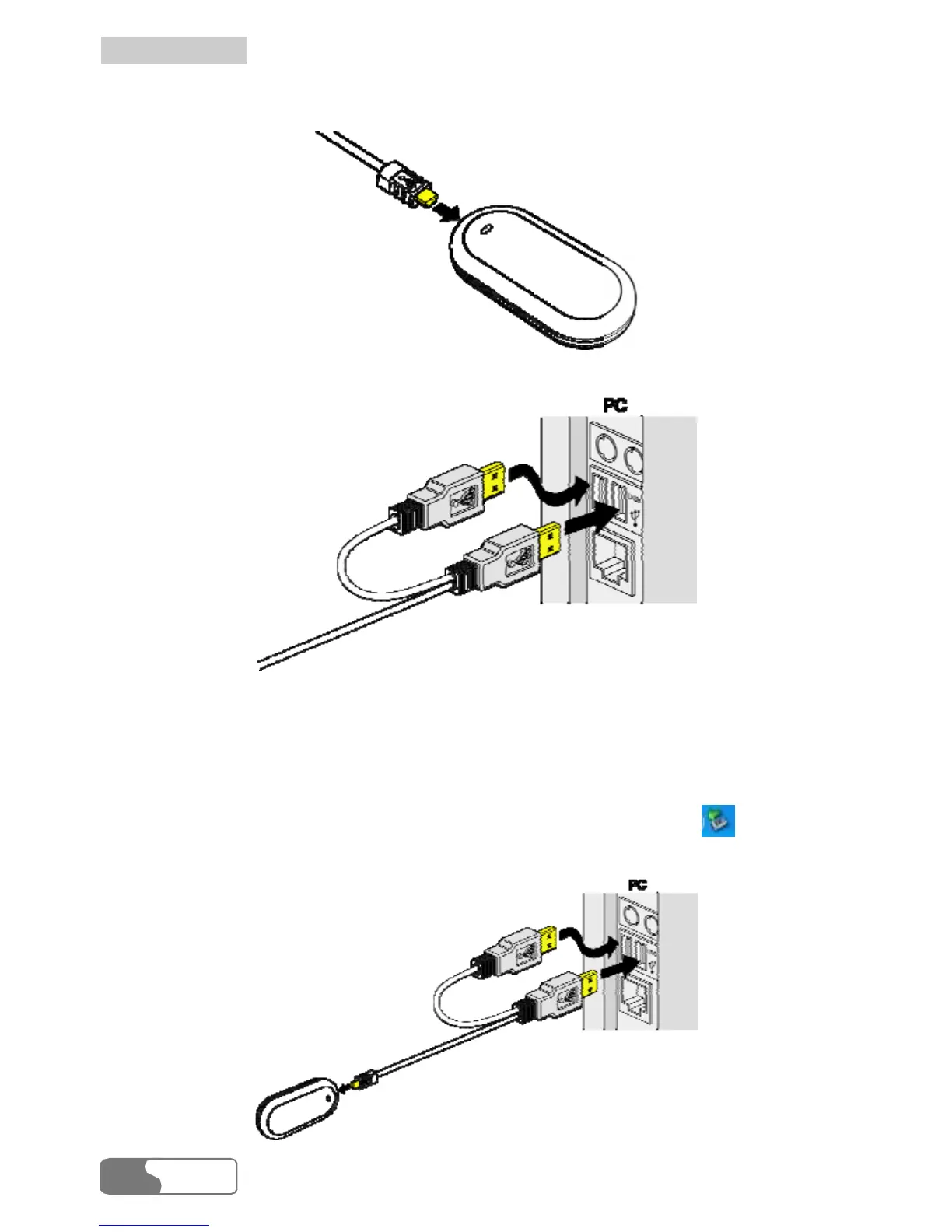
1. Connect the Mini the USB interface of E220.
-USB plug of the USB cable to
2. Insert the main plug and auxiliary plug to the USB interfaces of the PC.
Note:
data cable.
3.
The PC can supply power for E220 through the auxiliary USB
Make sure that it is connected to the USB interface of the .
Windows XP auto detects and recognizes E220 and displays
PC
on the
lower right corner, indicating that E220 is connected successfully.





 To Next Page