7
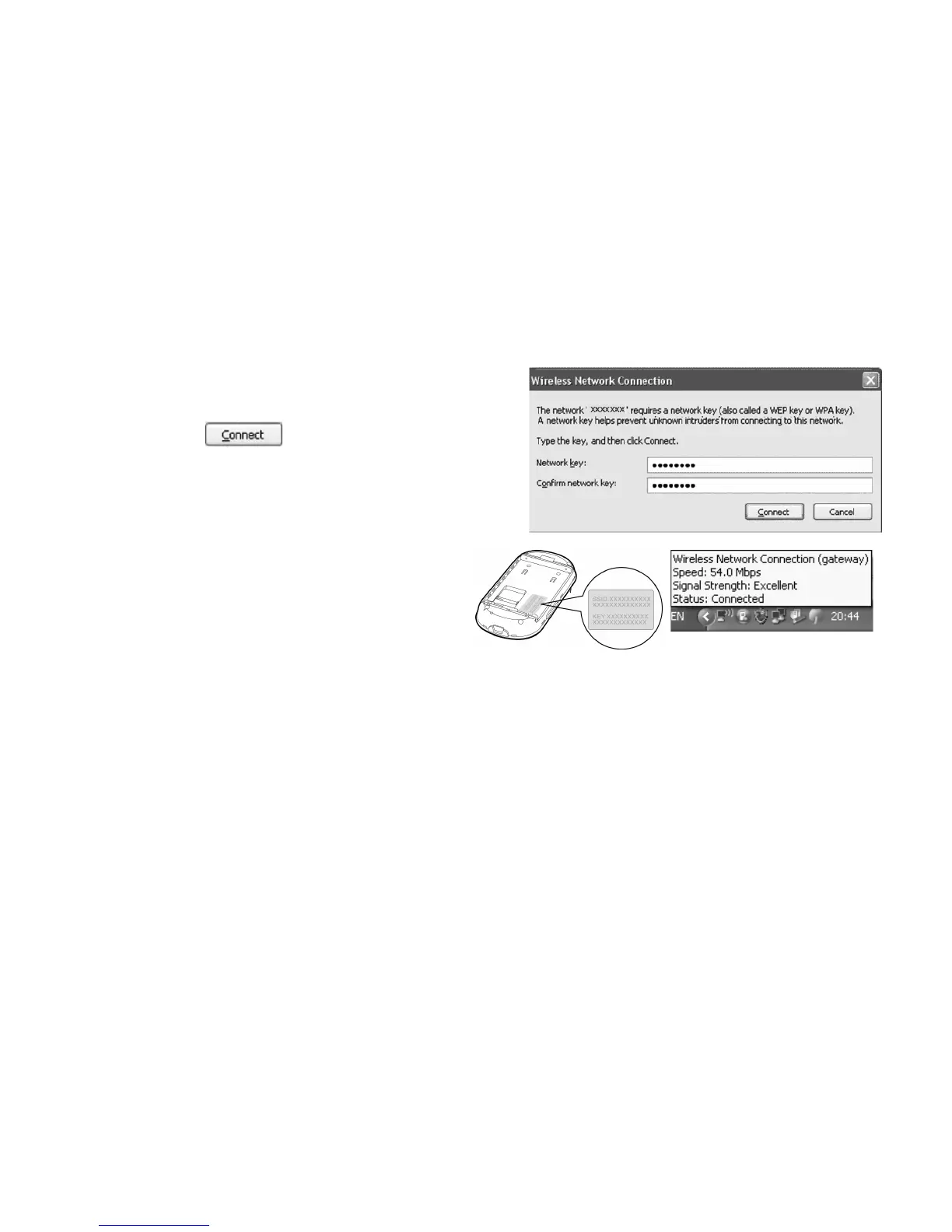
3. Select the network connection that the
SSID is the same as that of the device, and
then click
.
Note:
z If the encryption parameter is set for the
device, the Wireless Network Connection
dialog box is displayed and requires
the network key and confirmation.
z The SSID and key label is attached on
the device.
Wait for a while. The wireless connection icon displays in the status area in the lower right
corner of the screen. Then, your PC can automatically connect to the device.
Step2. Access the Internet
By default, the device automatically dials up to access the Internet. You can directly use the
Internet service.
If the Internet service does not respond, you can access the Internet using the dialing



 To Next Page