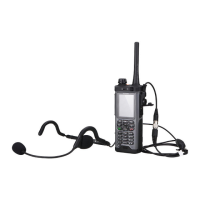
Table 2-1 Components on the phone body of an EP631S
Nu
mbe
r
Name Description
1 Group button
l In trunking mode, press to display the fast group switch
list.
l On the fast group switch list, press to join the selected
group.
Speaker knob
l Controls the ringing volume, and turns off the ringtone of
an incoming call.
l Controls the earpiece volume of an ongoing call or
multimedia playback.
l Moves the cursor up/down on the fast group switch list.
2 Emergency mode
call key
l When your phone is powered off , hold down the key to
enter the emergency mode call.
l When your phone is in standby state, hold down the key to
enter the emergency mode call. You can wake up a
dormant EP631S by pressing the key.
3 LTE antenna
interface
—
4 Indicator —
5 Earpiece —
6 Screen —
7 Key For details, see Figure 2-2.
8 Speaker —
9 Microphone An EP631S has two MICs.The one on the lower left corner of
the phone body is the primary MIC; the one on the upper right
corner is the secondary MIC.
10 Charger
connection point
—
11 Function key up Custom function key.
By default, this key is a shortcut to the mute function.
12 PTT call button This button is used for a PTT call.
13 Function key
down
Custom function key.
By default, this key is a shortcut to turn off screen light.
14 Multifunctional
interface
The High Definition Multimedia Interface (HDMI) can be
connected with a data cable for battery charging or connected
to other accessories. A locking component is attached to the
interface for securing connections
EP631S
Quick Guide
2 Appearance
Issue 02 (2018-05-08) Huawei Proprietary and Confidential
Copyright © Huawei Technologies Co., Ltd.
5









 To Next Page