Welcome
Welcome to eSpace EGW1520 Enterprise
describes how to install and configure the
refer to the eSpace EGW1520 Enterprise
in the CD-ROM delivered with the device.
Usage Notice
z Keep the power plugs clean and dry to a
z Use the power supply adapter provided
z Keep your hands dry when plugging in o
Packing List
z Power off the device, remove all connec
maintenance personnel if smokes, noise
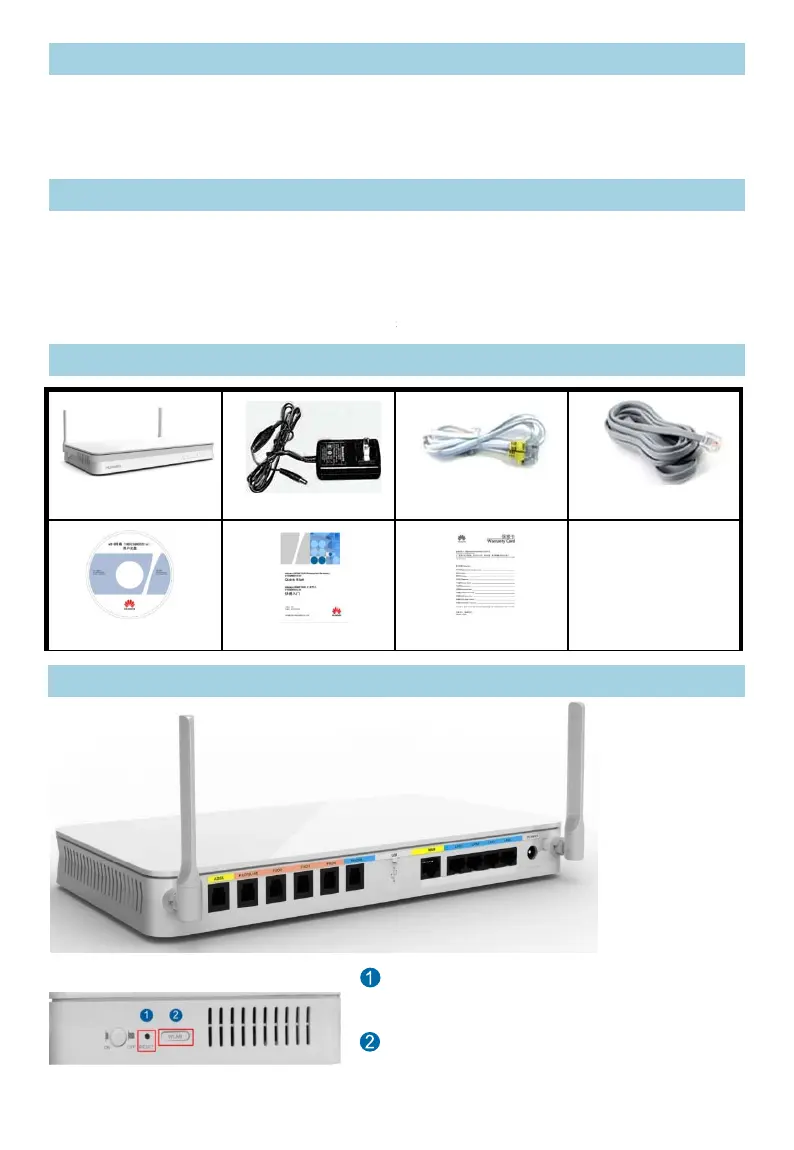
EGW1520
Power supply adapter
Device Appearance
Rear View
Quick Start
Document CD-ROM
R
r
r
e
ti
Side View
ateway (EGW1520). This document
GW1520. For more information, please
ateway Product Documentation provided
void electric shock and other potential risks.
ith this product.
ut the device cable.
ed cables, and contact authorized
, or odors come from the device.
Network cable (1)
Analog phone lines (3)
Warranty Card
ESET: Press the button for short time (≤ 6s) to
start. Press the button for long time (> 6s) to
store factory settings.
LAN: Press the button for short time (≤ 6s) to
able or disable WLAN. Press the button for long
e (> 6s) to activate WPS.



 To Next Page