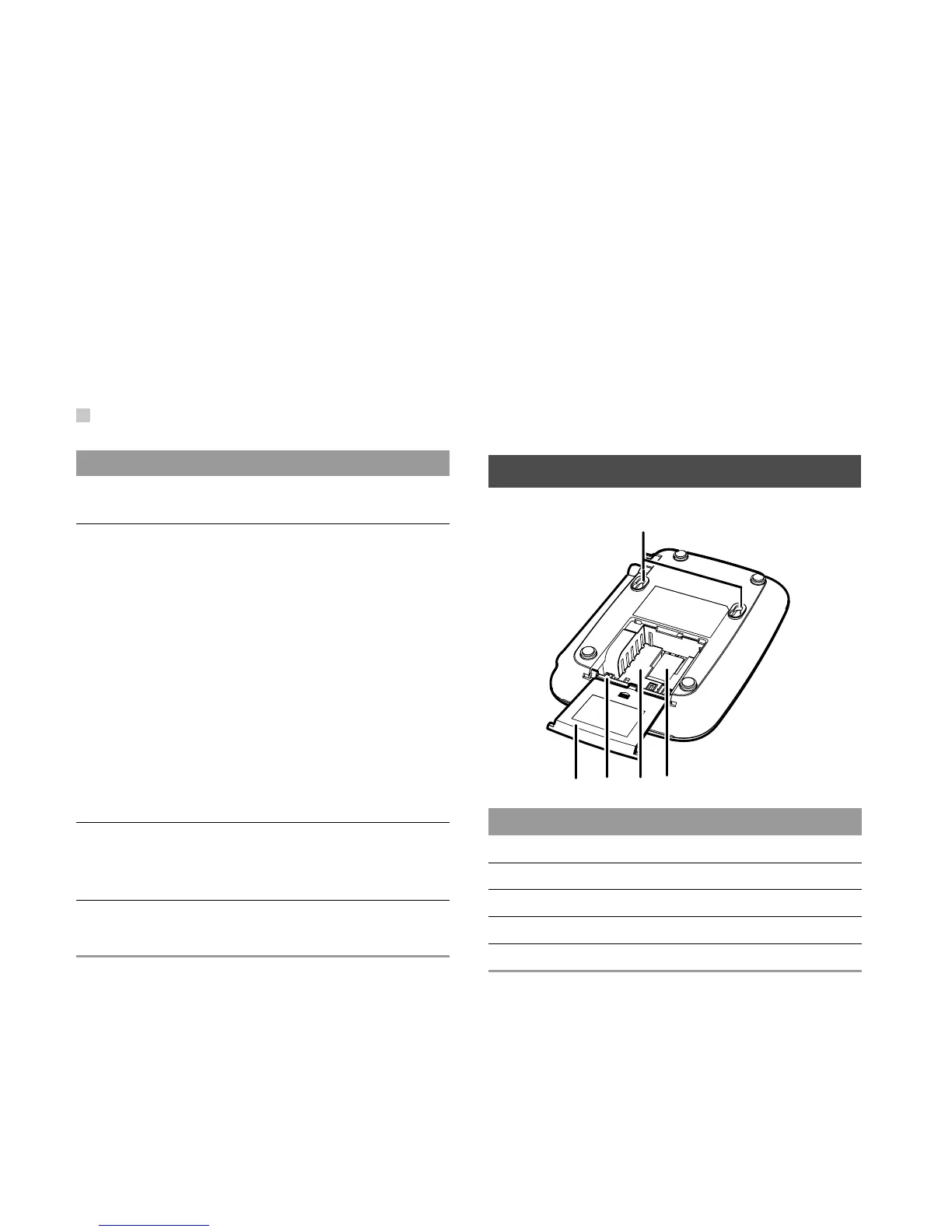
Rear View
2
Rear View
NO. Item
7
Signal strength indicators: More indica-
tors indicate stronger signal strength.
8
Battery indicator
The battery serves as the only power
supply (without external power adapter):
• In blue: The battery is in full electricity.
• In red: The battery is in medium electric-
ity.
• In red with blinking: The battery needs to
be recharged.
The external power adapter is in use
(with the battery inside):
• In red: The battery is being charged.
• In blue: The battery is fully charged.
9
Power indicator
In blue: The FWT is connected with the
power adapter.
10
Operating status indicator
In blue: The FWT is in work.
No. Item
1
Wall-mounting brackets
2
R-UIM card slot
3
Battery container
4
Battery port
5
Battery container cover
54
32
1










 To Next Page