Installing the Power Adapter
4
Installing the Power Adapter
In normal conditions, the FWT relies on the external
power adapter for power supply.
1 Make sure that the FWT is switched off.
2 Insert one end of the power adapter into the DC
input port, and the other end into the power sup
-
ply jack.
3 Switch on the FWT and wait for a few seconds.
If the power indicator is in blue, the connection is
correct.
Use the battery only in the case that the electricity
has failed
or the external power adapter is unavail-
able. You must make sure that the battery has been
fully charged before putting it into use.
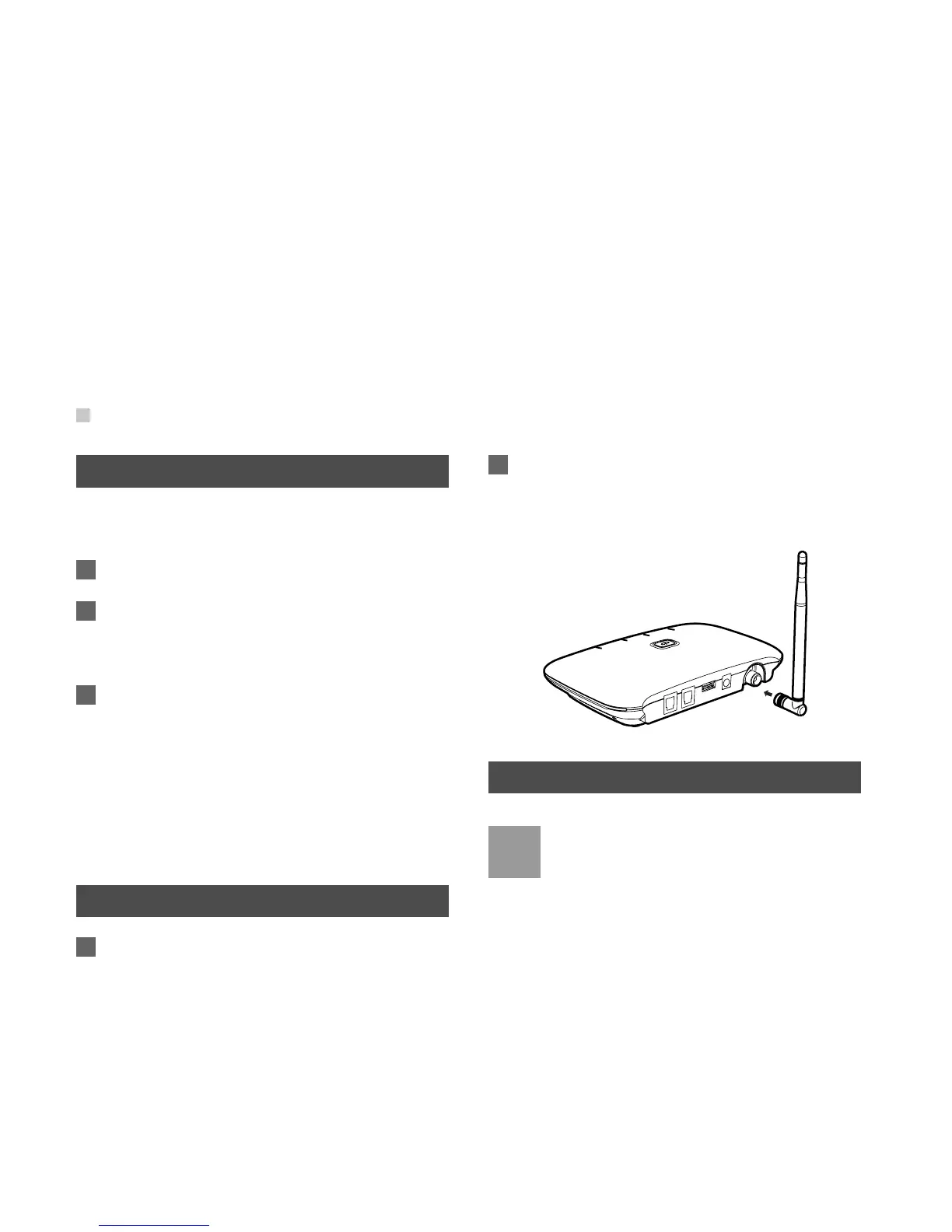
Installing the Indoor Antenna
1 Make sure that the FWT is switched off.
2 Align the indoor antenna with the antenna port
on the FWT host in the direction shown in the fig
-
ure, and then screw the antenna, ensuring that
the connection is secure.
Connecting the Terminal
Note
• Switch off the FWT and disconnect the power
adapter.
• Use the cable provided by the manufacturer.
• The FWT can be connected to a telephone
and a PC at the same time, but the voice and
data services cannot be used simultaneously.
You can use only one service at a time.










 To Next Page