4
4
I
I
n
n
s
s
t
t
a
a
l
l
l
l
a
a
t
t
i
i
o
o
n
n
D
D
e
e
s
s
c
c
r
r
i
i
p
p
t
t
i
i
o
o
n
n
HUAWEI
29
Mounting Mode
Horizontal Mode
When the FWT is placed horizontally, the place should be flat, shadowy and
ventilated to facilitate the FWT to eliminate heat.
Wall Mounting Mode
The FWT can be placed vertically on the wall.
Installation preparation
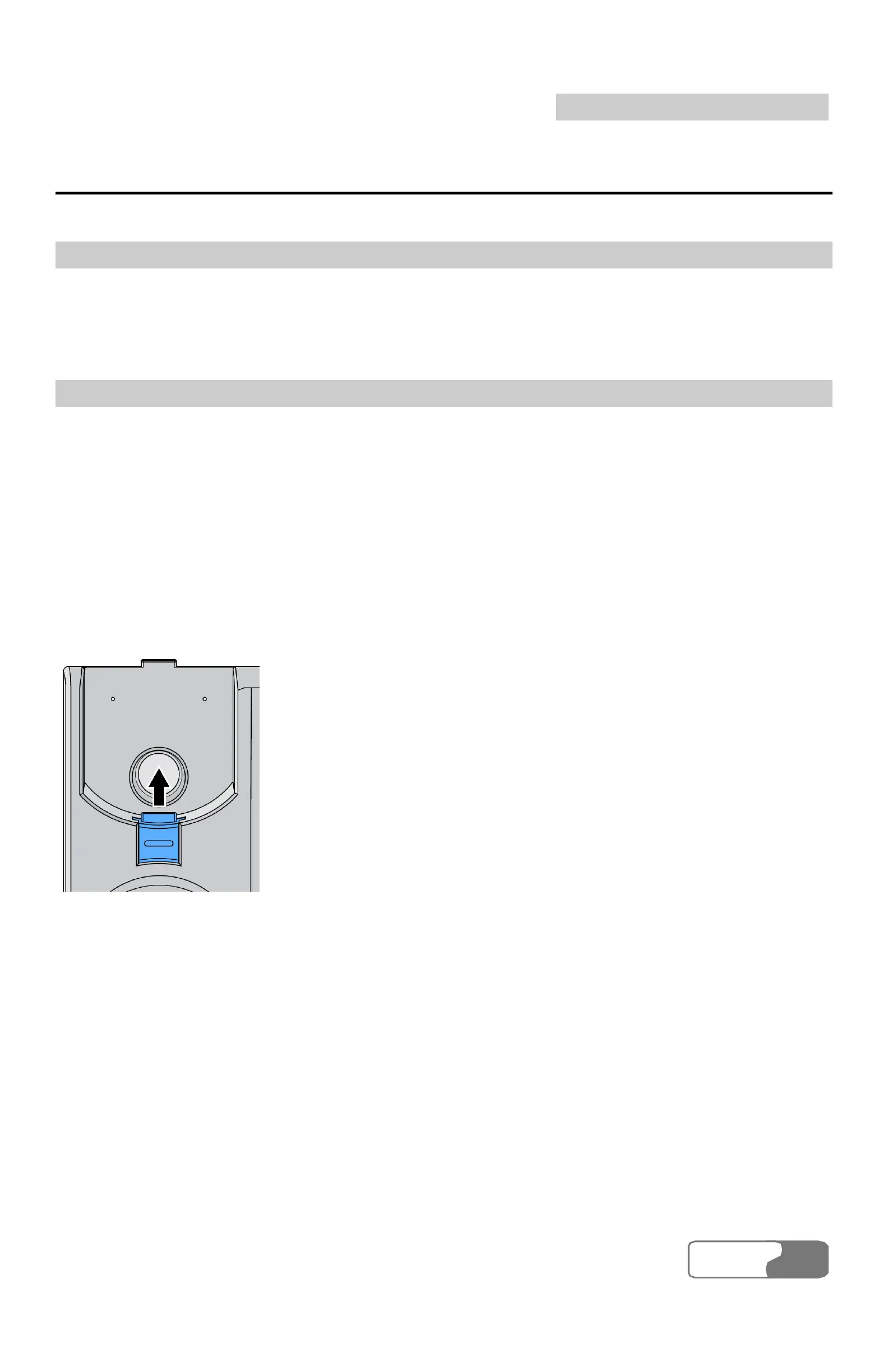
1. Confirm the handset retaining clip state
Before installation, confirm whether the handset retaining clip is as the same
as shown in Figure 3-1, that is, the bulge is upwards. If it is not, pull the
button, as shown in Figure 4-7, out of the slot, turn it around and then put it
back so that the handset will not fall down when the FWT is placed vertically.
Figure 4-7 Handset retaining clip installation
2. Install the wall-mounting bracket
Install the wall-mounting bracket to the corresponding area, as shown in
Figure 4-8.



 To Next Page