EasyManua.ls Logo

Huawei G510 - Page 73

Huawei G510
96 pages
Print Icon
To Next Page IconTo Next Page
To Previous Page IconTo Previous Page
Loading...
G510 Maintenance Manual V1.0
INTERNAL
2013-01-28
Page 73 of 96
The headset's microphone is powered by MIC_BIAS1 (PM8029/HSED_BIAS1) and used to
test the headset's reception function.
The G510's headset is compatible with two headset cable orders, among which the one
compatible with iPhone is used by default. The pull-up voltage is 2.6 V provided by L19.
Troubleshooting
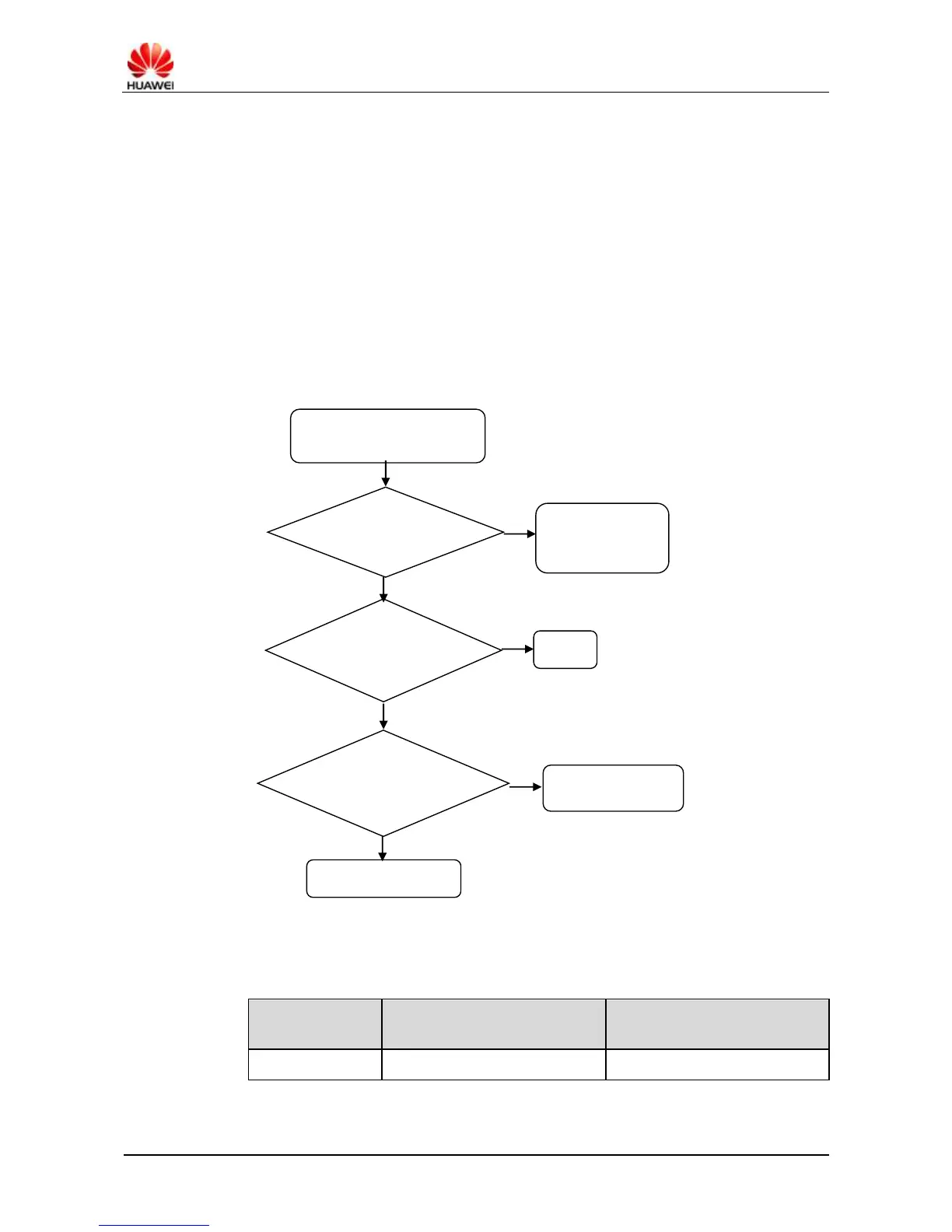
Fault symptom: No voice is heard from the headset.
Handling: Replace the headset or headset jack. Troubleshoot the fault according to the process
shown in Figure 9-36.
Figure 9-36 Troubleshooting process when no voice is heard from the headset

After a call is established, no
voice is heard from the
headset.
Is the headset
volume properly
set?
Adjust the
headset volume to
a proper value.
N
Y
Is voice heard
from the headset
after headset
replacement?
End
Y
N
Is the
HS_DETECT
voltage changed
after the headset
is inserted?
N
Replace the
headset connector.
Y
Return the U8825-1 to
Huawei for repair
Circuit Symbols
Signal Symbol
Description
Reference Measurement or
Waveform
FM_ANT
FM antenna
None

Related product manuals