2 Network Expansion
2.1 Wireless Network Expansion
When you already have Wi-Fi in your home and need to expand the Wi-Fi
coverage, you can use the WPS button to connect the K562e to the existing Wi-Fi
network.
● This section assumes that your home network supports WPS features. If your
home network does not support WPS features, you can log in to the K562e web
page to congure parameters and expand Wi-Fi.
● Three-level Wi-Fi cascading is not allowed on the K562e network. A maximum
of two-level Wi-Fi cascading is supported.
WPS Code Pairing Operation Guide
1. Place the K562e close to the home gateway (within 2 meters) and power it
on.
2. After the K562e starts up, press and hold the WPS buttons of the K562e and
the home gateway for 3 to 5 seconds in turn within 2 minutes.
The WLAN indicator of the K562e blinks during the pairing.
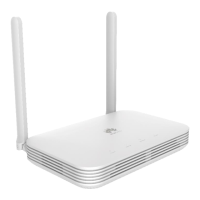
K562e
Quick Start-02 2 Network Expansion
Issue 02 (2021-06-25) Copyright © Huawei Technologies Co., Ltd. 4


 To Next Page