Need help?
Do you have a question about the Huawei B310 LTE CPE and is the answer not in the manual?
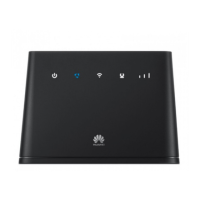
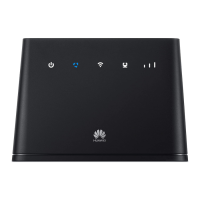
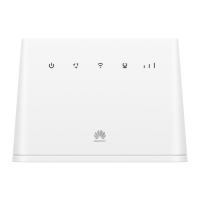
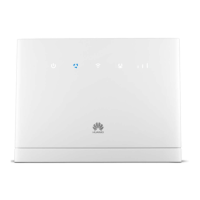
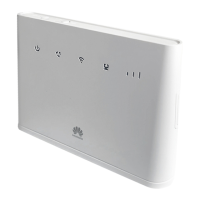
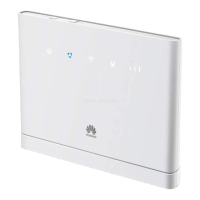
Details on the Power and Network mode status indicators.
Explanation of Wi-Fi, LAN/WAN, and signal strength indicators.
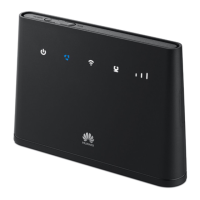
Location and purpose of SIM slot and external antenna port.
Safe usage, avoiding interference, and environmental hazards.
Guidelines on temperature, heat, child safety, and accessory risks.
Safety instructions for the power adapter and device maintenance.
The Huawei B310 LTE CPE is a versatile device designed to provide Internet access through LTE, 3G, or 2G networks, and also supports Ethernet connectivity. It functions as a central hub for your home or office network, allowing multiple devices to connect via Wi-Fi or LAN.
The B310 serves as an LTE CPE (Customer Premises Equipment), meaning it acts as a gateway that connects your local network to a mobile broadband network. It integrates a SIM card slot, allowing it to utilize cellular data for Internet access. Additionally, it features a LAN/WAN port, which can function either as a local area network port for connecting wired devices or as a wide area network port for connecting to an existing Ethernet network, such as an ADSL modem or a wall-mounted Ethernet port. This dual functionality provides flexibility in how you establish your Internet connection. The device also includes Wi-Fi capabilities, enabling wireless connectivity for various clients like computers, tablets, and smartphones. For voice communication, a telephone port is available, allowing you to connect a telephone to the device.
Setting up the B310 involves a straightforward installation process. For mobile network access, you begin by installing a standard SIM card into the designated slot. The card slot cover slides off for easy access, and it's important to align the beveled edge of the SIM card correctly. Once the SIM card is in place, the cover should be closed. It's advised not to remove the SIM card while the device is in use to avoid performance issues or data loss.
Connecting the B310 to a power outlet automatically powers it on. The device's power adapter model is HW-120100XYW, and users are advised to contact an authorized dealer for specific adapter model details. To prevent radio signal interference, the B310 should be placed at least 1 meter (3.28 feet) away from telephones and other electrical devices.
For Wi-Fi connectivity, the B310's Wi-Fi function is indicated by a steady Wi-Fi/WPS indicator. The default SSID (network name) and Wi-Fi key (password) are conveniently printed on the device's bottom label. You can connect your Wi-Fi-enabled client manually by scanning for wireless networks, selecting the matching SSID, and entering the Wi-Fi key. Alternatively, if your client supports WPS (Wi-Fi Protected Setup), you can establish a connection by pressing and holding the WPS button on the B310 for 2 or more seconds until the indicator blinks, and then activating the WPS connection on your client within 2 minutes.
Once connected via Wi-Fi or LAN, you can configure the B310 through its web management page. By launching a browser and visiting http://192.168.8.1, you can log in using the default username and password (both "admin"). The quick setup wizard guides you through checking or setting network connection parameters. For security, it's recommended to change the default password after your first login. If you modify the SSID and Wi-Fi key, you will need to reconnect your client to the network using the new credentials.
The B310 also supports external antennas for improved signal reception in areas with poor coverage. Before installing an external antenna, ensure the device is powered off and disconnected from the power outlet. The antenna port cover needs to be removed, and the external antenna should be screwed in fully and kept upward for optimal signal. Only approved external antennas should be used, and they should be used indoors, avoiding thunderstorms. Specific FCC regulations regarding antenna gain and RF output power must be adhered to.
The B310 incorporates several features and guidelines for proper maintenance and safe operation. The device includes a reset button, which, when pressed and held for about 3 seconds with a sharply pointed object while the device is powered on, restores the B310 to its factory settings. This action will erase all previous configurations, and the device will restart automatically.
For safety, it's crucial to follow the provided guidelines. The device should be kept in a dry, well-ventilated, and cool area, away from direct sunlight, and not enclosed or covered by objects that hinder heat dissipation. Avoid dusty, damp, dirty environments, and strong magnetic fields, as these can cause circuit malfunctions. When connecting or disconnecting cables, ensure your hands are dry, and the device is disconnected from the power supply. During thunderstorms, power off the device and remove all connected cables to protect against lightning strikes.
The operating temperature range for the B310 is 0°C to 40°C, and storage temperatures are -20°C to +70°C. Extreme temperatures can damage the device or accessories. It's important to keep the device away from heat and fire sources, and not to place objects like candles or water containers on it. If any foreign object or liquid enters the device, immediately power it off, remove all cables, and contact an authorized service center. Device openings should not be blocked, and a minimum of 10 cm clearance should be maintained around the device for heat dissipation.
Regarding accessories, only those approved by the device manufacturer should be used to avoid voiding the warranty, violating regulations, or causing hazards. The power adapter should be easily accessible, unplugged when not in use, and inspected by an authorized service center if damaged. Do not touch the power cord or the device with wet hands.
For cleaning, stop using the device, close all applications, and disconnect all cables. Use a clean, soft, and dry cloth; avoid chemical detergents, powders, or other chemical agents. Do not place magnetic stripe cards near the device for extended periods. Dismantling or remanufacturing the device or its accessories is prohibited, as it voids the warranty and releases the manufacturer from liability.
In case of unusual occurrences like smoke or unusual sounds/smells, immediately power off the device, remove all cables, and contact an authorized service center. Cables should not be trampled, pulled, or excessively bent to prevent damage. The device should be installed and operated with a minimum distance of 20 cm from the body, and kept in a location with good reception, at least 25 cm away from other metal materials and 30 cm from metal doors and windows.
 General
| Model | B310 |
|---|---|
| Category | LTE CPE |
| Maximum Download Speed | 150 Mbps |
| Maximum Upload Speed | 50 Mbps |
| Wi-Fi Standard | 802.11b/g/n |
| Wi-Fi Frequency Bands | 2.4 GHz |
| Wi-Fi Speed | Up to 300 Mbps |
| SIM Card Slot | Yes |
| Power Supply | 12V / 1A |
| Max Supported Users | 32 |
| Storage Temperature | -20°C to +70°C |
| LTE Category | Category 4 |
| Ethernet Ports | 1 x LAN/WAN |
| Operating Temperature | 0°C to 40°C |

 To Next Page