Need help?
Do you have a question about the Huawei B311-520 and is the answer not in the manual?
This document provides a quick start guide for a Huawei device, likely a router or similar network access point, focusing on its setup, configuration, and general usage. It includes an overview of the device's physical components, step-by-step installation instructions, and important safety and regulatory information.
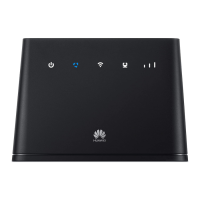
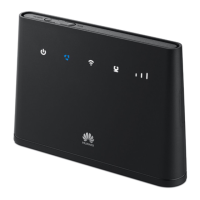
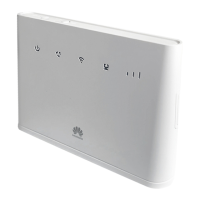
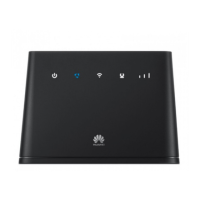
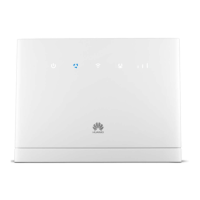
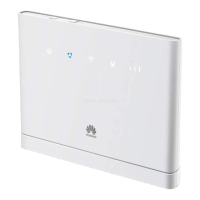
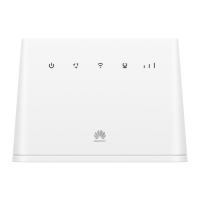
The device serves as a network access point, connecting to mobile data networks (LTE/3G) via a SIM card to provide Wi-Fi and wired internet access. It supports various SIM card types (mini-SIM, micro-SIM, nano-SIM) and allows for the connection of multiple devices, including computers and landline phones, to access the internet and make telephone calls. The device features a built-in antenna for signal reception, with an option to install an external antenna for improved signal strength. It also includes indicators for power, Wi-Fi status, signal strength, and network status, providing visual feedback on its operational state.
The setup process begins with installing the correct SIM card into the designated slot, followed by connecting the power adapter. Once powered on, the device automatically searches for available mobile networks. Users can monitor the connection status through LED indicators, which display cyan/blue for LTE/3G network connection and white signal bars for signal strength.
Connecting to the device's Wi-Fi network is straightforward. The default Wi-Fi name and password are provided on a label at the bottom of the device. After connecting to a mobile data network, users can access the internet via Wi-Fi. It is strongly recommended to change the default Wi-Fi network name and password through the web-based management page to prevent unauthorized access. The Wi-Fi indicator provides information on whether Wi-Fi is enabled.
The device can be managed through a web-based management page, accessible via a default IP address and password found on the device label. This interface allows for configuration changes, including updating Wi-Fi settings and managing other network parameters. For added convenience, the device can also be managed using the HUAWEI SmartHome App, which can be downloaded by scanning a QR code provided in the manual.
Beyond wireless connectivity, the device supports wired connections. Users can connect a computer or a landline phone to the router to access the internet or make calls. It also offers the flexibility to connect to a wall-mounted Ethernet port using an Ethernet cable, providing an alternative method for internet access. Specific settings for Ethernet port usage may need to be configured via the web-based management page, and users are advised to contact their carrier for details.
For areas with poor signal reception, the device supports the installation of an external antenna. This feature enhances signal strength, improving overall network performance. Before installing an external antenna, the device must be turned off and unplugged. External antennas are intended for indoor use only and should not be used during thunderstorms. Users should ensure they obtain the antenna from their carrier.
The device also supports WPS (Wi-Fi Protected Setup) for easy connection to Wi-Fi networks. Pressing the WPS button on the router for a few seconds initiates the WPS process, allowing compatible devices to connect without manually entering the password.
The manual emphasizes several maintenance practices to ensure the device's longevity and safe operation. Regular cleaning is recommended, using a clean, soft, and dry cloth to wipe the device and accessories. Chemical detergents, powders, or other chemical agents (such as alcohol and benzene) should be avoided as they can damage parts or pose a fire hazard.
Proper storage and handling are crucial. The device should be kept dry and protected from collision during storage, transportation, and operation. It should not be exposed to extreme heat or cold, as these conditions can interfere with its function and potentially lead to fire or explosion. Keeping the device in a well-ventilated and cool area, away from direct sunlight, is advised. Covering the device with towels or other objects, or placing it in containers with poor heat dissipation, should be avoided.
To prevent electrical shock hazards and fire, the device and its accessories should be kept away from rain and moisture. Heat sources such as heaters, microwave ovens, stoves, water heaters, radiators, or candles should also be avoided. Objects like candles or water containers should not be placed on the device. In case of any foreign object or liquid entering the device, it should be immediately powered off, unplugged, and an authorized service center contacted.
Maintaining proper ventilation is important; device openings should not be blocked, and a minimum of 10 cm clearance around the device should be maintained for heat dissipation. If the device overheats, usage should be stopped for a while. Prolonged skin exposure to an overheated device can cause low-temperature burn symptoms.
Regarding power adapter safety, the power plug is designed as a disconnect device and should be easily accessible. The power adapter should be unplugged when not in use. Any damaged power adapter or cable should not be used and should be taken to an authorized service center for inspection. Wet hands should not be used to touch the power cord or adapter.
The device is designed to automatically obtain software updates from Huawei or the carrier when connected to the internet, ensuring it runs the latest software. This function is enabled by default but can be disabled through the product management website.
For security, users are advised to promptly change the default login password for the web-based management page to prevent unauthorized access to router settings. The manual also warns against dismantling or remanufacturing the device and its accessories, as this voids the warranty and releases the manufacturer from liability for damage. In such cases, an authorized service center should be contacted.
Environmental protection is also highlighted, with instructions to dispose of the device and its accessories according to local regulations, supporting proper collection and recycling rather than household garbage.
 General
| Device Type | 4G LTE Router |
|---|---|
| Weight | 300 g |
| LTE Category | LTE CAT4 |
| Maximum Download Speed | 150 Mbps |
| Maximum Upload Speed | 50 Mbps |
| Wi-Fi Standard | 802.11b/g/n |
| Wi-Fi Frequency Bands | 2.4 GHz |
| Wi-Fi Speed | 300 Mbps |
| Number of Ethernet Ports | 1 |
| Ethernet Ports Speed | 10/100 Mbps |
| Max Users | 32 |
| Battery | No |
| Operating Temperature | 0°C to 40°C |
| SIM Card Type | Mini-SIM |
| SIM Card Slot | Standard SIM (Mini-SIM) |
| Power Supply | 12V/1A |
| Network Bands | B1/B3/B7/B8/B20 |
| Storage Temperature | -20°C to 70°C |

 To Next Page