Pro Mode
Use Pro Mode to Shoot Like a Pro
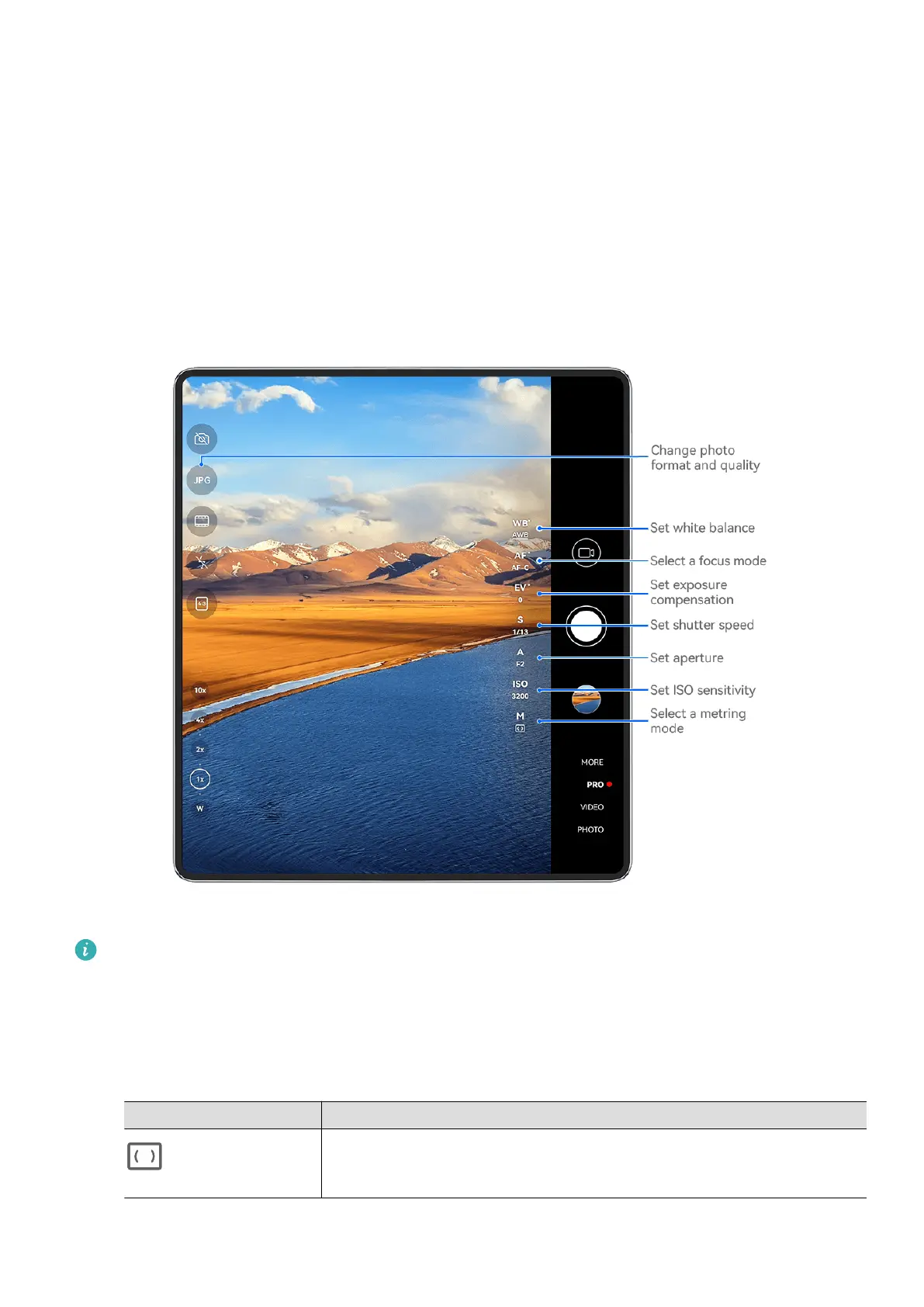
Pro mode lets you
ne-tune photos and videos and gives you full control over ISO sensitivity,
focus mode, and more when taking photos or recording videos.
Shoot Photos in Pro Mode
The gures are for reference only.
1 Open Camera, or go to Camera > More (depending on your device model), and select
Pro mode.
2 From there, feel free to:
• Adjust the metering mode: Touch M, and select a metering mode.
Metering Mode Usage Scenario
Matrix
Measures light across the entire frame; ideal for shooting
natural landscapes.
Camera and Gallery
80



 To Next Page