3
Indicator Status Description
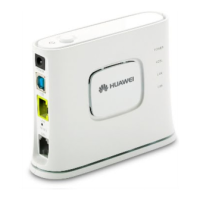
POWER Steady on The MT992 is powered on and has finished booting.
Off The MT992 is powered off.
DSL Steady on The MT992 is activated through DSL.
Blinking Carrier detection is in progress. (Blinks twice per
second)
The MT992 is being activated through DSL. (Blinks
4 times per second)
Off No connection is set up on the port.
INTERNET Steady on The Routing WAN (TR-069) connection is set up.
Off DSL is activated and the Routing WAN (TR-069)
connection is being set up or has not been set up.
LAN Steady on The MT992 is connected to a device properly.
Blinking Data is being transmitted between the MT992 and
the device connected. (Blinks twice per second)
Off No connection is set up on the port.
NOTE
A software update is in progress when all four indicators blink twice per second.
3 Setting the Computer IP Address
Before logging in to the MT992 web page, set the IP address of the computer that
will be used for the login.
On Windows 7
1. Click in the lower right corner of your desktop. Choose Open Network and
Sharing Center.
2. Choose Change adapter settings. Right-click Local Area Connection and
choose Properties.
3. Double-click Internet Protocol Version 4 (TCP/IPv4).
4. Select Use the following IP address. Set IP address to 192.168.1.* (* is any
integer from 2 to 254), Subnet mask to 255.255.255.0, and Default gateway to
192.168.1.1. Click OK to return to the previous dialog box and click OK.









 To Next Page